Applications that allow you to transfer files from your Mac or PC to your iPhone or iPod Touch and back again aren’t unusual these days. There are many currently available, and a number are quite good. File Magic comes a little bit late to the game, but it’s clear that the folks at SplashData took their time to think through how to best manage this task; they have come up with one of, if not the best, solutions.
To begin using the application, you first need to download the application to your iPhone for iPod touch, and you’ll also have to download the server software to either your Mac or PC. (That software is available here.) I am a bit mixed on this, since there are options available that don’t require additional software. Fortunately, the desktop software is free and is simple enough to use.
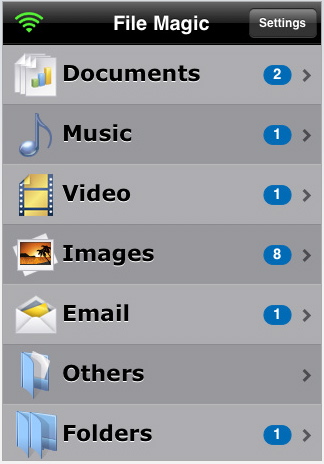
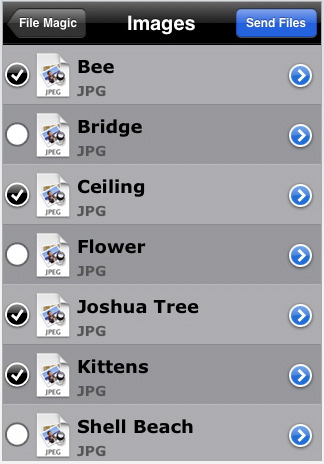
Once files are transferred to the iPhone/iPod Touch, they can be opened from within the application itself. That includes music/videos (non DRM) and images, as well as text documents.
 The desktop server makes it simple to import your address book. Why is this important? Because while File Magic is one of the better, if not the best, applications for transferring files it has one special functionality that sends it over the top– the application allows you to create an e-mail on your notebook, transfer that e-mail to your iPhone and then send it from there. Why would you want to do that? Let me answer the question with an example…
You’re out on the road and need to send some e-mails. Best case scenario would be having a wireless data card for your notebook, or finding a high-speed Internet connection to use. But that’s often easier said than done. Yes, the iPhone is a perfectly capable e-mail device (and many of us use it as much or more for sending e-mails these days), but there’s no question that it’s easier to type an e-mail on a large keyboard. This application allows you to use your data-disconnected notebook to quickly write e-mails and then, with the push of a button, transfer the e-mails to your (almost always data-connected) iPhone in order to send them.
Once AT&T permits tethering, those of us who will be activating the option won’t have need for this functionality. But for now, it’s a great service to have available, and it’s simply part of an already excellent application.
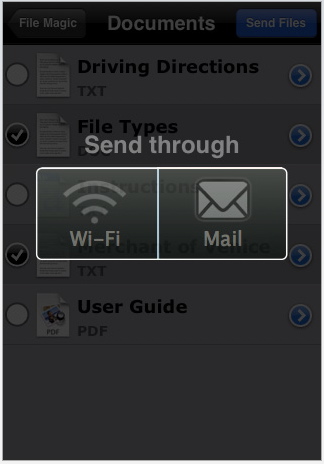 Finally, a recent update adds yet another useful feature – you can now “beam” files wirelessly between iPhone devices. You can also email files as attachments from File Magic on the device. Finally, in the new version the company has tightened up security with a password option to protect File Magic access.
It is a very nice app overall. My biggest current complaint is the lack of support for documents created using iWork. Other than that it works well, and I especially liked the feature that lets you create an e-mail on your notebook, transfer that e-mail to your iPhone and then send it from therefor those times when a WiFi connection is not available for your notebook.
Full information on File Magic can be found at www.splashdata.com/filemagic.
You can get it in the App Store.