Archive | April, 2009

2nd Appigo Todo Code Awarded… More Codes To Win

Appigo Todo

The first promo code for Appigo’s Todo was just awarded to “mclaugh”.

We have three more copies of this superb task management app to give out. For a chance to win the next one leave a comment below with the most challenging task you had to do today.

There’s a lot more information on Todo and its companion app over on whatsoniphone and on the Appigo site.

Comments (3)


Tags:

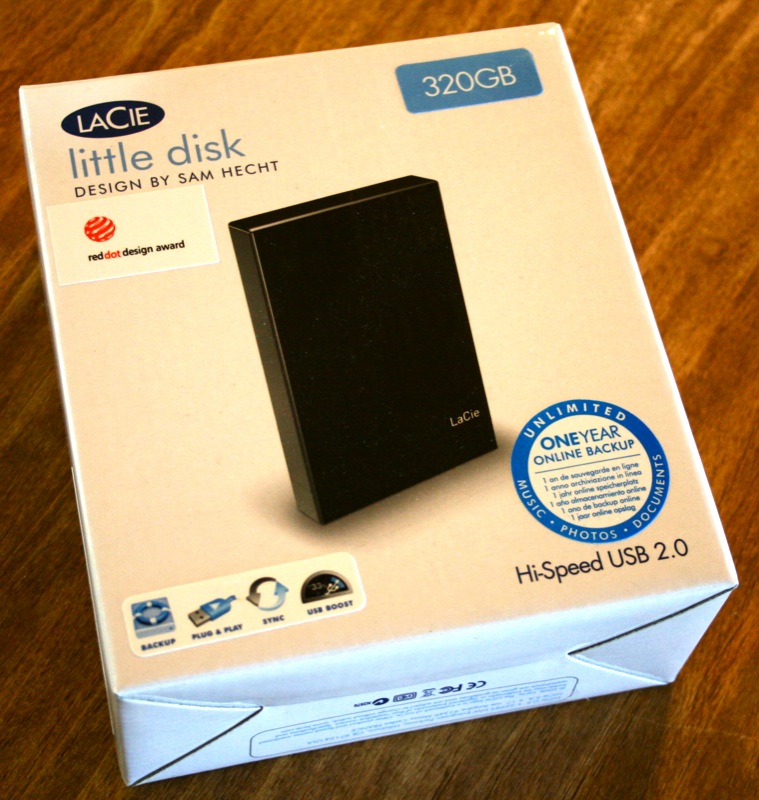
New Seagate Replica PC Backup Appliance

I think that if I were to leave a legacy in the computer world, it would be this: always, always, always, always back up your data (with apologies to Winston Churchill whom I loosely paraphrased.)  you see, I have led a lifetime of losing data, which dates all the way back to my first computer, the Apple II+.  Most recently, for those of you who read our review of Spb Mobile Shell, boy did I go crazy over that one.  After an hour and a half of editing and saving, my computer chose to ignore the save command, dropping all of my edits.  So, boy do I wish I had the Seagate Replica PC Backup Appliance, which can provide backup support for one or multiple PC’s.  Keep reading for the full press release on this incredibly useful looking peripheral, which is due to be released in May.


Continue Reading

Comments (1)


Tags: ,

Unboxing the Vertu Ascent Ti

It’s not every day that I get to unbox an $8000 mobile phone…oh heck, who am I trying to kid?! Up until a few days ago, I could honestly say that I had never unboxed any device that cost so much. But through a twisting series of events, starting with my friend (and fellow gadget magpie) Drew purchasing a Vertu Ascent Ti at full retail price last summer (and eventually moving on from it), I now have one in my possession. Needless to say, the Ascent Ti a pretty big upgrade from the other two Vertu’s I have written about in the past.

Let’s take a look at what $8 grand will buy you at the Vertu Boutique

geardiary_vertu_ascent_ti_unboxing_03

Inside the outer cardboard shipping box, there’s a black sleeve with the phone’s information listed.

geardiary_vertu_ascent_ti_unboxing_04

Inside the sleeve is the black presentation box…

geardiary_vertu_ascent_ti_unboxing_05

…and inside the presentation box are two leather Vertu branded boxes.

geardiary_vertu_ascent_ti_unboxing_06

Underneath the leather boxes are all of the phone’s paperwork: bill of sale ($8K even, after taxes), certificate of authenticity, a book describing the phone’s features and services, and the full user’s guide. Also included is a Vertu branded microfiber cloth and a software CD.

geardiary_vertu_ascent_ti_unboxing_07

Opening the larger of the two leather boxes reveals an elastic strap which I suspect may have originally held the software CD.

geardiary_vertu_ascent_ti_unboxing_08

Under a protective flap, there are various syncing and charging cables; all but the white US power adapter are branded Vertu. Bear in mind that this phone was originally sold and purchased in Australia.

geardiary_vertu_ascent_ti_unboxing_09

I love the fact that the Ascent Ti uses the microUSB connector to both sync and charge; that means I can use my Amazon Kindle 2’s cable, and leave all of the Vertu branded ones in their packaging. ;-)

geardiary_vertu_ascent_ti_unboxing_10
note that the microUSB cable is also branded Vertu; you don’t want to have to try to replace this puppy…

Inside the smaller leather case is the star of the show: a 2008 Vertu Ascent Ti.

Inspired by the sculptural lines of big-engined supercars, Ascent Ti is unmistakably built for power and performance. Every component is engineered for strength. The muscular case is forged from high performance metal. The ear pillow is made from the same high-tech ceramic that protects the Space Shuttle. Even the logos are made from a material used to strengthen industrial drill bits.

geardiary_vertu_ascent_ti_unboxing_12

Under the phone are its battery and battery compartment key.

geardiary_vertu_ascent_ti_unboxing_13

So let’s put the kit together.

geardiary_vertu_ascent_ti_unboxing_14

Inserting the key into the back cover release slot opens the battery cover. The SIM card goes in the slot to the right, and the little metal slot to the left (that looks like a microSD card holder) slides over the SIM, keeping it in place. The battery goes on top of the SIM, and the battery cover clamps down over the whole affair.

geardiary_vertu_ascent_ti_unboxing_15

Notice the black leather covering the Vertu’s antenna area? If you don’t like plain black, you can choose from a veritable rainbow of colors instead – including purple, red, azure, and pink. If smooth Titanium isn’t your thing, there are various finishes available as well.

The Ascent Ti is composed of a Titanium case (hence the Ti in the name) and handsomely trimmed with leather. The phone measures 4.6″ long (117mm) x 1.9″ wide (49mm) x 0.7″ thick (18mm), and it weighs 5.7 ounces (161g). This is a perfect balance of size and heft – the phone feels substantial without being too big or too heavy.

geardiary_vertu_ascent_ti_unboxing_16

Forged at 850 degrees in an 800-ton press, it is engineered so precisely that when the two halves are bolted together, the seam is all but invisible.

Specifications:

Performance:
High-performance dual 11×15mm hands-free loudspeaker
Up to 5.0 hours GSM talk time
Up to 3.0 hours WCDMA talk time
Up to 300 hours standby time
WCDMA2100/GSM Quadband 850/900/1800/1900 MHz
3G and Quadband GSM coverage worldwide (Exception: Burma and Comoros)

Display and Keypad:
High resolution dynamic display with Sapphire Crystal screen
Precision engineered stainless steel keys

Connectivity:
Bluetooth
Micro USB connection
PC Synchronization with MS Outlook

User Interface Features:
3 megapixel embedded camera with autofocus and integrated flash lighting
Text Messaging (SMS)
Multi-media Messaging (MMS) and email
Multi-language predictive text input
Vertu Fortress Wirless data synchronization service
Worldmate Travel Application
Calculator
Large user memory (4GB)
1500 names in phonebook, 1500 calendar notes, 1000 SMS

On the bottom of the phone, there is a microUSB connector and a microphone.

geardiary_vertu_ascent_ti_unboxing_17

On the right side, there is a speaker and the Concierge button. Oooooh the magical Concierge button! The Concierge button is the one feature (after the phone’s cost) that is always guaranteed to get a raised eyebrow when discussing a Vertu with the uninitiated.

What does pressing this little button do? According to Vertu, it “connects you to a world of personal service, day or night, at home or away.” Pressing the button immediately connects you to someone who can answer any questions you might have about your phone, but “you an also get advice, inspiration and easy booking for everything from flights and hotels to top tables and front row tickets.”

Vertu Concierge is available 24 hours a day, 7 days a week, and they happen to be located in the UK. But if you are calling them to help you purchase front row tickets at a sold out NIN concert, then you won’t mind the extra charges on your phone bill, will you?

geardiary_vertu_ascent_ti_unboxing_18

The power button is the bar in the middle of the top; the light sensor is on the right, or on the left when you are facing the phone.

geardiary_vertu_ascent_ti_unboxing_19

On the left side of the phone is the speaker and camera button. This is as good a time as any to say that once again, Vertu has shown itself to be the king of speaker phone enabled mobile phones; not only can people not tell when I am talking to them on speaker, the sound is better than even the Vertu Ascent’s. I honestly didn’t think that was possible.

geardiary_vertu_ascent_ti_unboxing_20

Pictures taken with the Ascent Ti are quite nice, as expected. I have long been a fan of Nokia phones’ cameras, and this Vertu – my first with a camera – seems pretty good; this one is a 3 megapixel autofocus with LED flash.

image000
picture of our front yard; watch for major changes in the next few months…

image000-1
Bobby, the stray tomcat that has adopted us

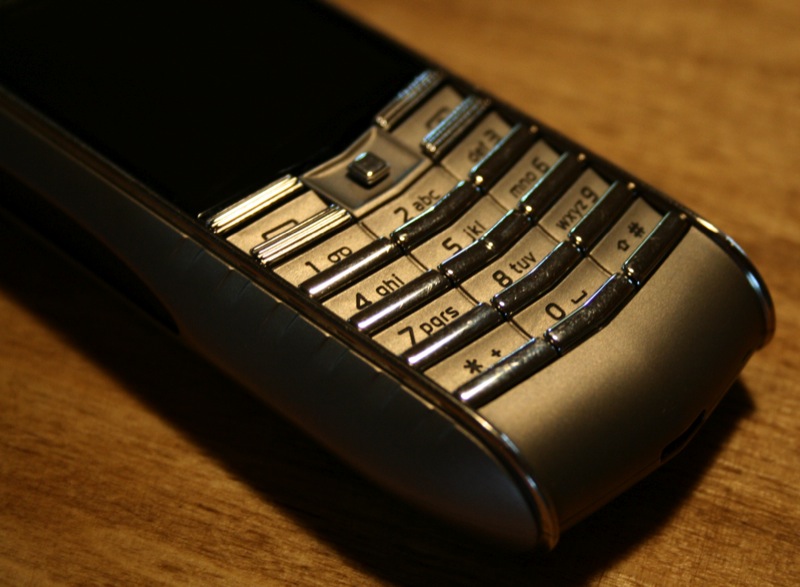
The stainless steel keyboard is lit from beneath, an effect that is supposed to evoke “a building floodlit at night.” Also present is a joystick, two selection keys, a send and end key. The joystick is probably the one thing that I don’t like about the phone. It is very stubby and stiff, and it isn’t as comfortable as I’d like. There! A con other than just the Ascent Ti’s price!

geardiary_vertu_ascent_ti_unboxing_21

Like every other luxury item available – whether it be an exotic automobile or a ridiculously pricey pair of shoes – there will always be the person who can throw down the money without giving the purchase a second thought. Then there are those like me who can’t necessarily afford the item but would love to experience it – even if only vicariously. And of course, there are those who honestly wouldn’t care about the item one way or another. If you happen to have the ways and means to acquire this particular beauty, you certainly aren’t going to hear any negativity from me. :-)

Comments (17)


Tags: ,

Review – Tiger Woods PGA Tour for iPhone/iPod Touch

tiger-1

I like sports games.  I’ve tried the most of the current golf games currently available in the iTunes App. Store.  Of them “Let’s Golf” is my favorite.  However that all could change now that EA Sports has just released the next in their line up of much anticipated titles, Tiger Woods PGA Tour for the iPhone and iPod Touch.  EA calls the Tiger Woods series of the world’s number one selling golf franchise game.  Does the game live up to the hype?  Read on to find out.

Continue Reading

Comments (12)


Tags: , , , ,

Review: Shape Service’s Mobiola xPlayer

xplayer

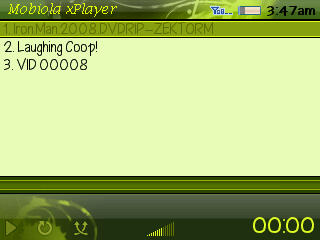
I tend to think of myself as an “on the go” type of guy with a sedentary lifestyle…not sure if that makes any sense to you but it does to me.  I have some travel for work, coach high school baseball, volunteer with the local Board of Education, and have a 15-month old that we are always taking to the zoo.  But as you can see from those activities a lot of my time is spent sitting around….enter Shape Service’s Mobiola xPlayer for the Blackberry Curve 83XX series.

Continue Reading

Comments (0)


Tags:

Flip VideoTM Introduces Flip UltraTM and Flip UltraHDTM

flipultra

I have Flip Mino from Pure Digital and I absolutely love it. It is small, light, easy to use and makes transferring video to my iMac absolutely simple! It goes everywhere with me these days. Best of all, the image quality is quite good.

Pure Digital just announced some additions to their lineup and they look great! The new Flip Ultra and Flip UltraHD offer two hours of recording time, a large high-resolution two-inch screen, and the ability to recharge it through the built-in USB arm.

At an MSRP of $149 and $199 they are nicely priced for such high-definition, yet imminently portable, cameras.

www.TheFlip.com

The full release with more details after the jump.

Continue Reading

Comments (3)


Tags: ,

Using Tech To Navigate A Health Crisis

mayor-bloomberg-expects-more-swine-flu-cases-in-new-york-city-silivecom

I just got done watching a news conference with New York’s Mayor Bloomberg, who was giving his daily Swine Flu update. He struck a nice balance by calling on people to be cautious and responsible by washing hands more than ever, telling them to stay out of work or school if they suspect they might be ill, and reminding people that there is no need for hysteria since, “no one in New York has come into the hospital seriously ill”.

Caution- YES. Hysterics- NO.

But it could get worse, and if it does technology can come in rather handy. Here are two examples… Continue Reading

Comments (0)


Tags: ,

USB Fever Offers up a USB Borescope

Ever lost something deep in the recesses of your couch or in an engine?  Well the USB Borescope from USBFever may be for you.

965_snake_scope_usb_endoscope_1

The borescope is essentially a webcam with a really long bendy cable between the guts of the cam and the sensor that takes the picture.  You can also attach a magnet on it to help retrieve your keys from the recesses of your couch or to pick up that screw in the desktop you’re working on.

It’s available now from USBFever.com for $63.99.

Comments (1)


Tags: , , ,

Android 1.5 Now Coming to T-Mobile US Subscribers

The rumors are rampant across the Internet that US G1’s are now receiving the Android 1.5 update, otherwise known as Cupcake!  As soon as I get my G1 updated, I’ll do a full write up.

official-cupcake1

So the things that I am most excited about on the G1 update are the on screen keyboard, recording videos with the G1’s camera and more home screen widgets.  Just waiting to see the update icon on my G1!

Comments (3)


Tags: , , ,

iPhone App Contest – Win A Copy Of Pocket Informant!

Since its initial release a few weeks ago, Pocket Informant has become one of my most important iPhone productivity apps. Version 1 worked well, although some expressed concern over a bit of lag when using the app. Version 1.01 followed soon after and sped things up quite a bit, brought even more stability and added some great features like shared Google Calendar Sync, the ability to pick which calendars sync, and much much more.

Version 1.02 is on the way and begins the process, among other things, of adding functionality to the app’s task management. We posted an exclusive sneak peak of 1.02 over on whatsoniphone.com.

The update is headed into Apple for approval and release in the next few days. To prepare for it our friends at WebIS have provided a number of promocodes for Pocket Informant. For a chance to win a copy just leave a comment below as to why you want/need PI for your iPhone or iPod Touch.

We’ll pick 5 winners on Sunday.

Oh, and to double your chances head over to whatsoniphone ’cause we’re giving away copies there, as well.


Comments (8)


Tags: ,

Palm Blog: Become a Real Reviewer (and get a new phone courtesy of Palm)

If you are a loyal Palm user, if are still confident that Cobalt will save the world, if you believe in Palm Pre, you can’t miss this.

Go to The Official Palm Blog, complete the online questionnaire and you will have a chance to be an official Palm reviewer (and you will also get a free Palm smartphone!!).

palmblogbanner1

Continue Reading

Comments (4)


Tags: , ,

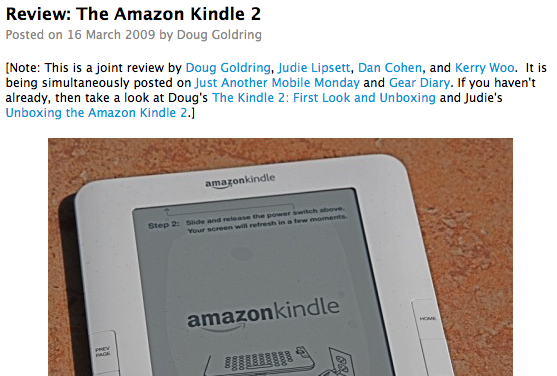
Amazon starts charging by the megabyte for delivering personal documents to your Kindle – adds support for DOCX and RTF file formats

kindle 2.jpg

Amazon just revealed a few changes to their Kindle supported documents as well as modifications to their whispernet fee structure. You can now send both DOCX and RTF files wirelessly to your Kindle and they’ll be converted automatically for viewing. The fee structure for personal documents (books that you purchase remain free to download) has changed from being .10 per document. Starting May 4 you will be charged .15 per megabyte (rounded up to the next whole megabyte) for any personal documents that you send to your Kindle email address for conversion and upload.

Free document conversion is still supported by sending attachments to “name@free.kindle.com”.

Starting May 4, in addition to the existing list of supported file types (DOC, HTML, JPEG, GIF, PNG, BMP, TXT, AZW, MOBI, PRC), you can send RTF files to your Kindle email address for convenient wireless delivery. In addition to the existing experimental support of PDF, you can also send DOCX files for conversion. Some complex PDF and DOCX files might not format correctly on your Kindle.

We have also modified the fee associated with sending personal documents wirelessly to your Kindle. This fee is now based on the size of your file. The fee for Personal Document Service (via Whispernet) is 15 cents per megabyte rounded up to the next whole megabyte.

Kindle Personal Documents Changes

Comments (8)


Tags: ,

First Copy Of Appigo’s Todo Awarded- More Codes To Win!

jpeg-image-320x480-pixels-51

The first promo code for Appigo’s Todo was just awarded to “thelarster”.
We have four more copies of this superb task management app to give out. For a chance to win the second one leave a comment below with the funniest, most challenging or most unusual task you had to do today.

There’s a lot more information on Todo and its companion app over on whatsoniphone and on the Appigo site.

Comments (2)


Tags:

A Writer’s Opinion of the Kindle

Going through my feeds, I came across this article about fantasy writer Peter Brett who wrote over 100,000 words of his epic novel, The Warded Man on an HP iPAQ 6515.  I saw this initially on Crunchgear by the way.  Can you imagine?  I have a rough time tapping out a e-mail and could not imagine writing a entire book on an iPAQ.

kindle-thumb.jpg

The article is actually a interview with Brett, where he’s asked about his experience and his opinion of the Amazon Kindle.  He loves the Kindle and can see both sides of the Text To Speech feature, but he brings up something I have been thinking about for a while.  That is the death of the publishing industry as we know it, and it’s rebirth into the digital realm. Continue Reading

Comments (2)


Tags: , ,

Review: Spb Mobile Shell 3

[Note: This is a three-way, multi-site review.  Chris Spera (italics), Clinton Fitch (bold), and Doug Goldring (plain text)have all teamed up to review Mobile Shell 3 together.  It is being simultaneously posted on Gear Diary, and Just Another Mobile Monday.]

It is hard to believe that it has been only a little over two years (February 2007) since Spb Software House revolutionized the way we use our Windows Mobile devices.  Since that time, dozens of other software developers and OEMs such as HTC, Samsung, and Sony-Ericsson have adopted this same technique of replacing the user interface entirely.  Through all of this, however, Spb Software House has managed to stay one step ahead of all the others by constantly refining and updating Mobile Shell.  And just when it looked like some of the other shell-type programs might be gaining a foothold, Spb ups the ante again with version 3 of their award winning program.  You are really going to want to sit down, hit the jump, and enjoy the ride for this one.

pc_capture1

Continue Reading

Comments (4)


Gear Diary

Click here to follow Gear Diary on Twitter Download the FREE Gear Diary dashboard widget by clicking here Click here to get a free 14 day subscription to Gear Diary delivered wirelessly to your Kindle! Click here join the Gear Diary Fan Page on Facebook


    • Click here to keep up with our contests!

    • ProClips for every application

    • Alltop, all the top stories

    • MBA Member