
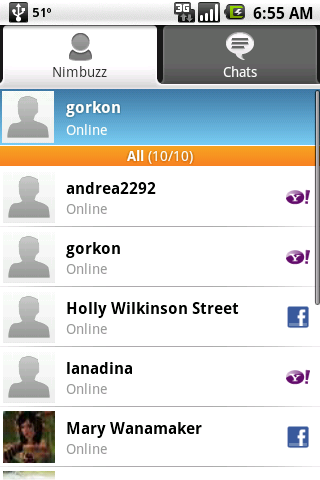
 Android has a built in IM client that is actually pretty good. It supports a lot of the instant messaging services, but does not support any of the new chats like Facebook chat or Skype. Nimbuzz has finally released a client for the Android operating system that supports Facebook and Skype as well as Live Messenger, Yahoo Instant Messenger, AOL Instant Messenger, ICQ, Google Talk, My Space, Study VZm SchuelerVZ, Gadu Gadu, Hyves,Jabber and Giovani. Most of these other services Nimbuzz supports I have never heard of.
Once you download Nimbuzz from the Android Marketplace, you must sign up for a Nimbuzz account. This is a plus and a minus. The plus is that you can use Nimbuzz on your Android based phone or any Nimbuzz supported phone including the iPhone as well as in your browser or on your PC or Mac and not have to re-enter all of your login information. It’s a minus in that all of your account information is stored by Nimbuzz.
Once your logged in and you have some accounts setup, it can run in the background on your phone. If you get a message, your phone can make an alert sound or vibrate to let you know you have a message. At that point you can use the on screen keyboard or open the G1’s keyboard to start chatting.
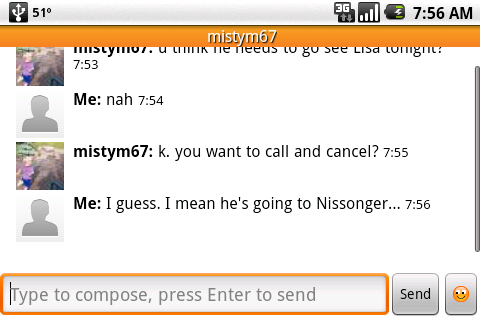
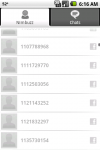
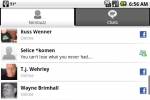
I did notice a lag with Facebook populating the correct names in Nimbuzz. For a minute or so it may show the Facebook id number instead of the Facebook name. Occasionally I will get a message from my dad in this instance and since I don’t know his id number, it’s kind of hard to figure out if it’s from him or not. Eventually it will show the correct name, but I thought you should be aware of this.
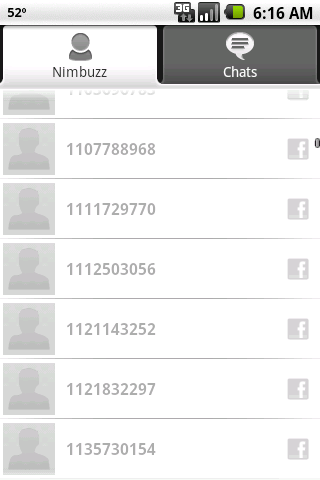 Facebook not remembering your friend’s names.
As for the rest of the services tested, Yahoo and MSN work fine and it even receives friend requests for these services. For the record, I use Yahoo Instant Messenger, Windows Live Messenger, Google Talk and Facebook primarily. Note: Skype support is IM only so don’t expect to be able to make VoIP calls with Nimbuzz. It’s a IM client only at this point for Android.
I didn’t think I would like Nimbuzz at first glance, but I was able to get it all working and now that I have used it a few times, I kind of like it and I will keep using it. Very handy service that makes it pretty easy to manage multiple accounts across multiple services and be able to use them across multiple phones or computers.
Nimbuzz is available on the Android Marketplace for free. It is also available for Windows Mobile, iPhone and many other phones. You can also use it in a web browser or with a desktop client on Mac or PC.








Nimbuzz will bring messaging service for android phones which were missing in Truphone and Vopium in their android versions.
Hi Joel, I know this is an old post.. but it’s help me to adding information about Nimbuzz on this post Thanks and good luck for you