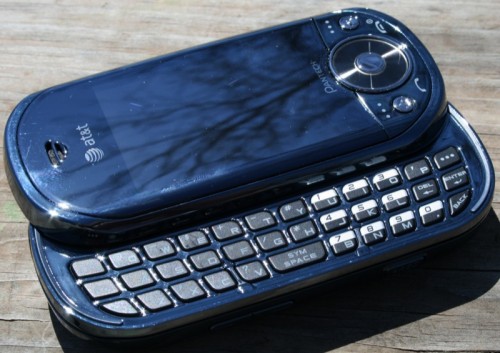
One of the more frustrating things about owning a Windows Mobile Standard device, particularly the ones which are tied to a certain carrier, are the sometimes you’ll find that there are these inane application locks in place. You usually won’t even know about the lock until you try to install a program that you think will make your life easier or your device usage more satisfying. When you try the installation, it is error city and the application will fail every time. I ran into this with the Pantech Matrix Pro that Julie and I reviewed this spring:
Is the Matrix Pro perfect? Of course not. It comes loaded with AT&T bloatware (Cellular Video, AT&T Music, MEdia Net, MEdia Mall [no, those aren’t typos], AT&T GPS, AT&T Navigator, Shop Music, etc.), and while you can obviously add WM programs to the phone, for some it is as locked down as Fort Knox. For instance, if you don’t want AT&T’s preloaded programs, you can’t delete them. But even worse: Twitter addicts will have to update though the web – the excellent WM application PocketTwit can’t be installed without hacking. Another program I couldn’t install was Google Mobile Apps, though I was able to easily install Google Maps…go figure. Google Mobile Apps and PockeTwit both return an error stating that the applications can’t be installed because they “lack sufficient system permissions.” Gah! FAIL.
Microsoft MVP Mike Temporale has been promising that he was going to write a good two part series on understanding and then removing the application lock that sometimes gets placed on Windows Mobile Standard devices, and last week he delivered. Mike is actually the friend who showed me the removal procedure when I first needed it for another device ages ago, so it only makes sense that instead of regurgitating his instructions to you, I send you straight to the source. Happy hacking! 🙂
Understanding Application Lock on Windows Mobile Standard Devices
Removing Application Lock on Windows Mobile Standard Devices