Posted by Carly Z in Diary Entries

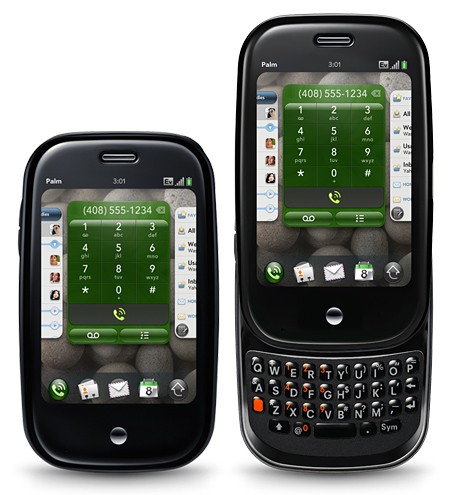
My father’s favorite phrase is “People don’t plan to fail; they fail to plan.” I’m quite sure a very expletive laden version of this concept was bandied around Microsoft after the Sidekick backup debacle. So I posed the question to the Gear Diary Team: How do you back up your smartphone data?
Posted by Dan Cohen in Diary Entries

If you’re old enough you remember the advertisement for the delicious Reese’s Peanut Butter Cup . The old commercial has one person eating peanut butter and another enjoying a chocolate bar. The two bump into each other and, as fate would have it, peanut butter and chocolate collided.
Posted by Joel McLaughlin in Diary Entries
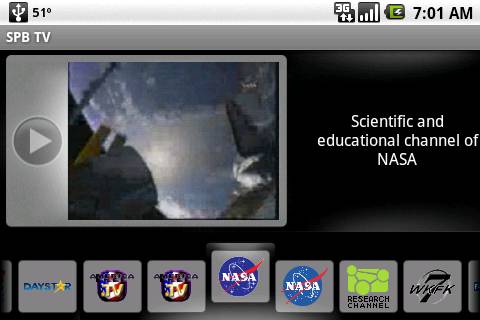
When out and about, sometimes you got a few minutes to kill. SPBTV for Android phones can help you use up a few of those minutes with a little mindless entertainment or a news update from overseas.
SPB TV is an application that streams live TV from the Internet directly to your phone. It has a nice interface and some of the streams even have a on screen guide to what is coming up next.
Posted by Larry Greenberg in Diary Entries

We wanted to let you know about a new tool we’ve added to the Gear Diary web site.
Mac users can now download a Gear Diary Dashboard Widget. If you don’t know it already, Dashboard Widgets are mini-applications that are opened by clicking the Dashboard icon in your dock or by completing a keyboard short cut.
These applications open all at once and generally help you complete every day tasks or provide you with very target specific information.
Posted by Carly Z in Diary Entries

It took stealth, cunning, and nerves of steel (along with a cell phone camera and a friendly clerk), but here is my report from tonight’s visit to Barnes and Noble to scope out their nook displays.
Even before you enter the store, you are greeted with HUGE mock nook in the window. I kind of want one that size! Continue Reading
Posted by Jason Reese in Deals

It’s that time of the year again. Â All the kids will be dressing up and getting treats, so what’s your excuse? We’re not talking candy, either. Â We’re talking the sweet stuff that keeps on giving. Â The kind of treat that will keep you glued to your favorite mobile devices. Â That’s right — Apps!
We’ve mentioned it before, but now it’s getting down to the wire. Â These are the last few days of the Gear Diary Fall Software Sale that will get you 15% Off any application in the store. Â All you have to do is enter the promo code GDFallTweets when you’re ready to checkout. Â That’s it.
If you’re looking for Windows Mobile, Palm OS, BlackBerry, Symbian, and even some iPhone apps, you need to check out the selection available on the Gear Diary Store. Even if you’re not committed to buying, you can trial most of the software on your handheld for f-r-e-e.
Act fast. Â After October 31st, the 15% promo sale is all over.
Posted by David Goodspeed in Grinding Gears, Reviews

Apparently, funky is going mainstream in the auto industry.
What began as a unique phenomena over at a little startup division of Toyota has now spread across other Asian automaker model lines. Nissan challenged the squared Scion with a Cube and now Kia has put their heart and “Soul” into the mix.
(Sorry, had to work the pun in somewhere.)
Posted by Wayne Schulz in Diary Entries

Have you ever experienced the sinking feeling at hearing the sound of a phone cracking as it hits the pavement? One solution is to wrap your phone in an OtterBox protective case. They make them for iPods, iPhones, BlackBerries, Nokia, Palm, HP, HTC and now Samsung Instinct S30. The cases are designed to protect your phone from what happens when it meets Mr. Pavement at 5 or 10 mph. The Samsung Instinct S30 case uses a soft silicone inside a hard shell to absorb the shock of sudden impacts from drop. Available now for $34.95 from Otter Box and worth it.
Posted by Dan Cohen in Diary Entries

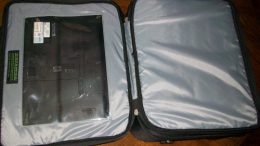
I recently jumped back into the world of netbooks. Mostly I wanted something on which to use Windows 7. So I tried a number of them running the new OS and settle on the Toshiba NB205. A bit of surgery and the diminutive machine now has 2GB of RAM and an SSD drive. It runs rather well and gets 8-9 hours on a single charge. Now if only I had a way to easily carry it since my other bags are designed for much larger notebooks…
Thankfully Skooba has me covered with a new line of bags especially designed for netbooks. The Netbook Messenger Bag has 20 pockets, holds netbooks with up to 10 inch screens and weighs just 24 ounces. At 14×12 x 3 inches in size it is large enough to carry what you need but small enough to travel lightly.
The MSRP of the bag is just $49.95. Details and more images can be found on the Skooba website. The full Press Release follows.
Posted by Christopher Gavula in Diary Entries

photo credit: woodleywonderworks
In part one of “Learning a Language on a Budget” I talked a bit about the things you can do to get prepared to learn a language. A number of you offered comments and provided additional information about some resources that are available. Much appreciated!
In this second post in the series I’m going to focus on some of the Internet resources that are available for the study of Spanish and, to some extent, other languages. There are an amazingly large number of resources available to language learners on the Internet. Many resources are free (or near free) and, with proper dedication, can go a good distance toward your goal of learning another language without spending any (or much) money! So let’s take a little time and examine a few of these resources.
Posted by Clinton Fitch in Diary Entries
So you have Windows 7 and you are all fired up about installing it on your netbook. The problem is that your netbook doesn’t have a CD or DVD player built in which means that DVD media that Windows 7 comes on is pretty much a coaster. You can solve the problem by popping $80-90 bucks on an external drive, but what if you could make that 4GB USB flash drive do the magic for you? Well you can, and it is pretty straight forward to do. All you need is a 4GB or bigger USB flash drive, a little bit of patience and your Windows 7 media.
Posted by Wayne Schulz in Diary Entries
With Android 2.0’s release imminent on the Verizon Droid and the SDK available it was only a (short) matter of time before someone ported over the yet to be released OS to the original T-Mobile G1. In my experience most of these ROM ports are rough around the edges and if you REALLY REALLY want the best Android 2.0 experience you’re best bet is to buy a device with Android 2.0. Until the official Android release here’s a video to satisfy your curiosity and take you on a pretty complete tour of Android 2.0 on the T-Mobile G1.
Posted by Wayne Schulz in Diary Entries

Attention Android owning basketball lovers — listen to every NBA game live, watch video game recaps, review live scores, get real-time team and player stats and more. This is all available with the $9.99 NBA Gametime 2009-2010 application for Android available for download now. Compatible with T-Mobile myTouch 3G (OS 1.5+), T-Mobile G1 (OS 1.5+). Versions are also available for iPhone and BlackBerry in their respective application stores. This is the perfect application for watching sports while you’re supposed to be doing boring stuff like working.
Posted by Judie Lipsett in Diary Entries
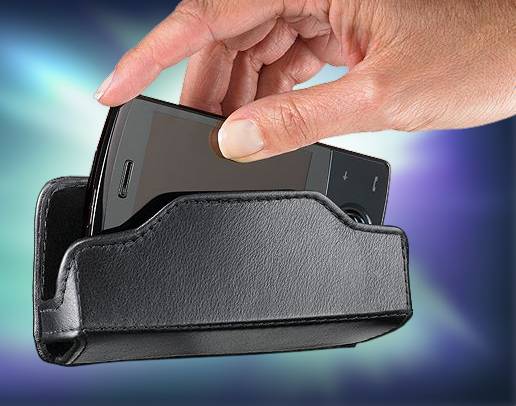
After a few hours of heavy use, the iPhone 3G S battery really gets spanked! The only way to make it through a long day is with external power – which is no problem as long as you’re by an outlet or USB port. If you aren’t deskbound, an external battery pack is the best way to go. I’ve been using the Mophie Air, and I love it; but even so, I’ve had days when it just couldn’t take me all the way through. USB Fever has two iPhone external battery holsters that are worth a look if you have little time or opportunity to recharge throughout the day…
Posted by Larry Greenberg in Reviews

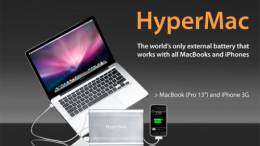
Every once and a while a product comes along that really catches my eye. Â Such was the case when I spotted an advertisement for the HyperMac external battery in a tech. magazine last month. Â The HyperMac is currently the only external battery available for use with Apple’s line of Mac Book computers. Â And with the new unibody Mac Book Pro and its built in battery the HyperMac might just be a must have for the true road warrior.
Hyper Shop, the company behind the HyperMac, was kind enough to send me a HyperMac 150Wh battery for review. Â I’ve put it to the test and am ready to share my thoughts.
Does the HyperMac live up to my expectations? Â Read on to find out.