
I rely on my iMac’s “clipboard” a ton. Between Twitter, the Internet, e-mail etc. it seems I’m constantly copying and pasting links and other information between one client to another. Often times I copy more than one item too and that means I have to go back and forth between the applications to retrieve and re-copy each time. An even larger problem occurs when I want to paste something I copied earlier in the day but have already copied something else thus over-writing the item I want.
A nice little free utility I stumbled across the other day called Jumpcut solves these problems.
Jumpcut is an application that provides “clipboard buffering” — that is, access to text that you’ve cut or copied, even if you’ve subsequently cut or copied something else. The goal of Jumpcut’s interface is to provide quick, natural, intuitive access to your clipboard’s history.
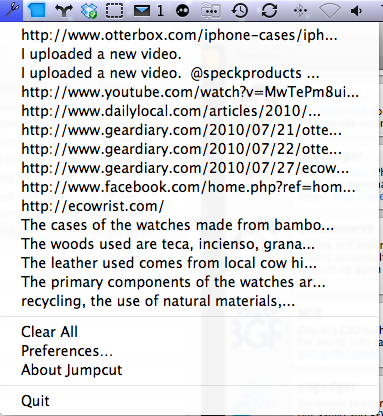
Once installed Jumpcut lives on your Mac’s menu bar. A quick click of it reveals a drop down list of everything you’ve copied to the clipboard. When you want to insert an item simply scroll to it and click.
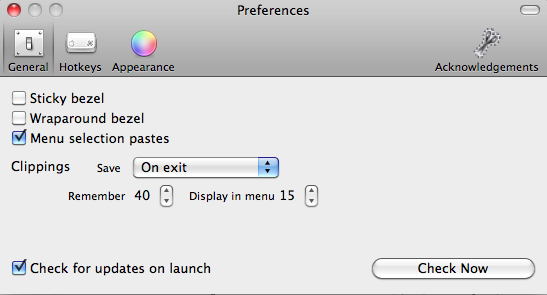
In Jumpcut’s preferences you can configure how many items you’d like it to remember and whether or not it saves them all when you exit or not.
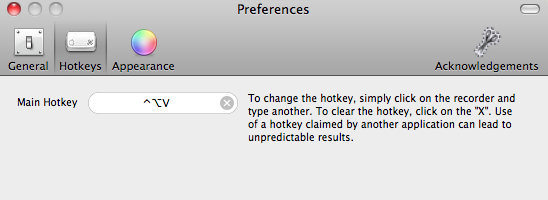
If you don’t prefer to envoke Jumpcut via the menu icon there are a few other options for doing so. You can set up a hot key combination to start it. Pressing your predetermined key stroke combination will then bring up the clipboard list.
You can also choose to hav Jumpcut display itself as a bezel. The bezel shows one clipboard item at a time and you use the arrow keys to scroll through other recent ones until you’ve found the item you’d like to insert. I personally find the menu bar method to be the easiest to use.

MacMost has a video demonstration of Jumpcut in action, see it below.
http://www.youtube.com/watch?feature=player_embedded&v=D69qIYfvqxQ
Jumpcut is available as a open source free download here.




Often times I copy more than one item too and that means I have to go back and forth betwe… #item