
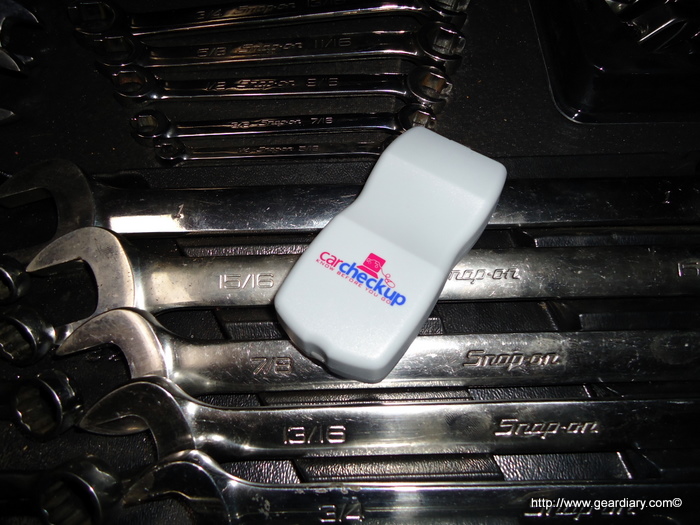
Everyone has that one friend or family member that seems to be the guy you go to when having car troubles. CarCheckup recently sent me their latest automotive scanner and data logger to review, so I happily obliged and ran it for a few days in a late model Mazda 3. The CarCheckup is kind of like swiss army tool for your automotive computer and does a great job exporting the data to a very usable and readable format.
The device is a small plastic module that connects to your OBDII port under your dash which is a direct link to the car’s computer. There are no switches, buttons, setup, or special instructions. I had some time to check it and log some miles on it, although I didn’t have any “check engine” light to diagnose, I found some interesting data out about the way I drive. I hooked up the device to my PC using the built-in USB connector and pulled some data down to the CarCheckup website. It was much easier than I imagined and had quite a lot of info to show me. Let’s take a closer look.
Quick Specs:
Business Mileage Tracking & Reporting
Trip Graphs of all trips
 Business Mileage Tracking & Reporting
 Trip Summaries: Highest Speed & RPM, Extreme Braking, and more!
 Trip Graphs of all trips
 Trouble Code ‘check engine light’ explanation and information
 30 Day Money-Back Guarantee!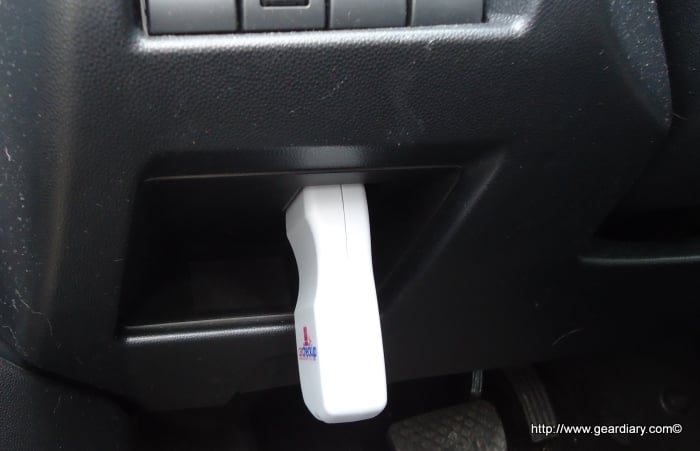
Installation:
Installation is really a snap. All you have to do is locate the OBDII port on your vehicle, and plug it in. The connector is made so the unit just supports its own weight when plugged in. For my application, it fit pretty nicely out of the way and held tight even over bumps and uneven road. I simply plugged in the module before I started the vehicle, then drove the car as normal with the device plugged in the whole time. It is not necessary to keep it plugged in if you do not want to, the data will be logged separately each time you stop then start the vehicle. Just make sure that you don’t unplug it until you see a green light, red light means its reading/writing. That’s about it as far as installation goes, basically just plug it in and drive.
Extracting the data
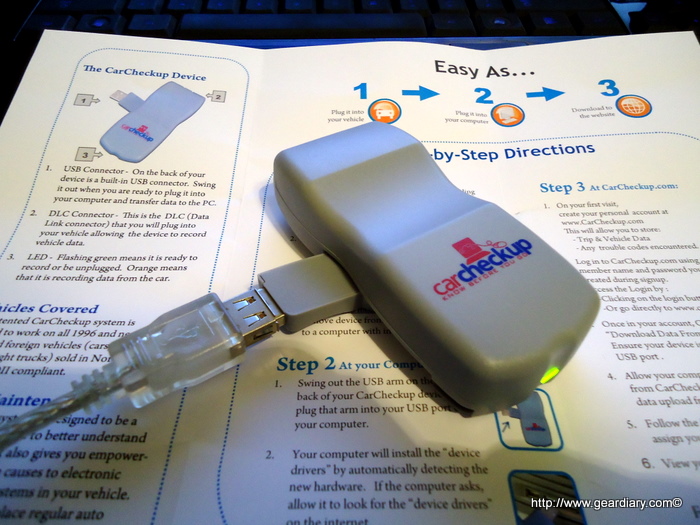
After I logged some decent mileage I pulled the device from the car and plugged it into my PC. My computer (Win 7 64 bit) PC instantly installed the drivers and no additional software was needed. I logged into the carcheckup.com website and proceeded to register for an account. The whole process took only a few minutes and requires you to select a primary vehicle for the device. After the setup is completed and your logged into the system you get a nice dashboard screen with some options to choose from. I selected the download data tab and it took about 5-10 minutes to retrieve the data I had logged on the device.
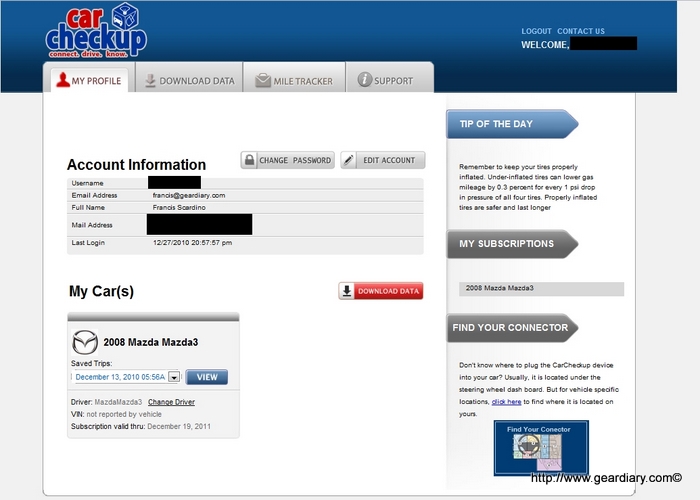
When you purchase the system you get 1 year service for one vehicle. You can also add additional vehicles using the same device for an additional $25 per car. This is nice because you only need to buy one piece of hardware to take care of all the vehicles in your fleet. After the account is setup and your data is downloaded, you have an assortment of tabs and options to review and export your data. When you ready to see the captured info you find the timestamp of the data you want and click “view”. It take s a few seconds to bring up the data but here is what you’ll see when your data is pulled.
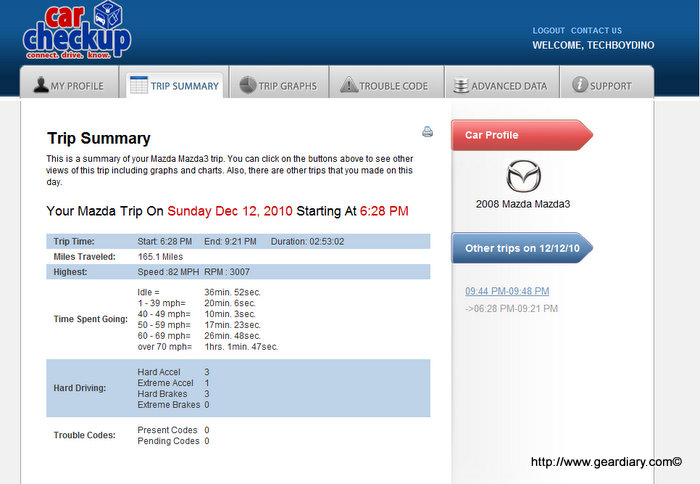
This screen gives you a rundown of the entire logged trip. As you can see we hit some traffic along the way and spent about 36 minutes at idle, and the rest following the speed limit going over 60MPH lets just say. It’s a good overview of how fast you were going and how hard you were on the brakes and the throttle. No Extreme braking on this trip but there was a few hard Accelerations and maybe just one Extreme to pass a dangerous driver or something. This is also a great tool to track how your children, wife, or crazy husband drive.
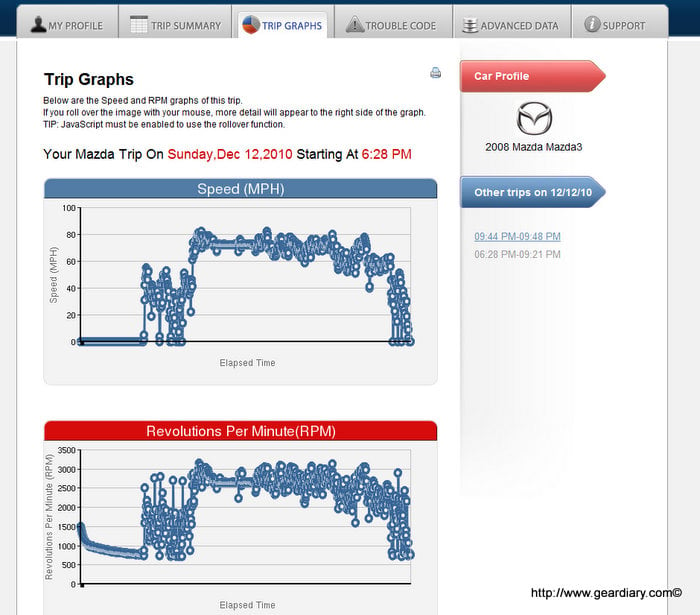
The Trip Graphs tab lets you look at the whole trip and see the Speed and RPM’s. When you hover over specific points you can see the data that corresponds with each segment.
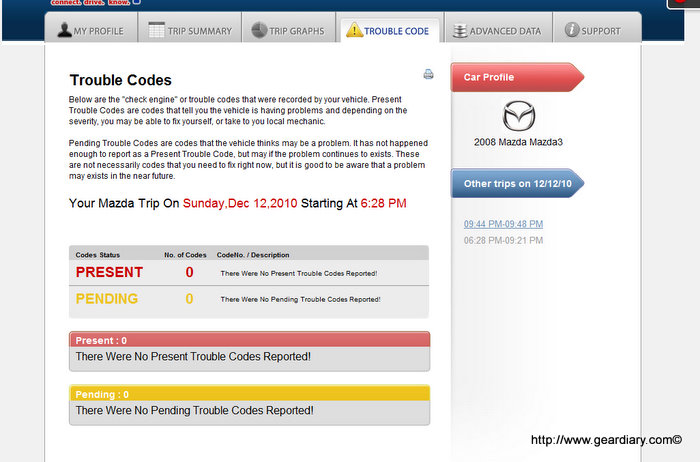
Thankfully no reported trouble codes on this car, but if you did have a check engine light or service light you would be able to check it out here. This is probably one of my favorite features of this device. It can help you obviously if you’re doing the work yourself, or if your taking it in to the shop you have a little insurance before they rake you over the coals. If you’re a handyman or woman doing it yourself, you can now find the problem without using the old process of elimination method which can end up saving you some money.
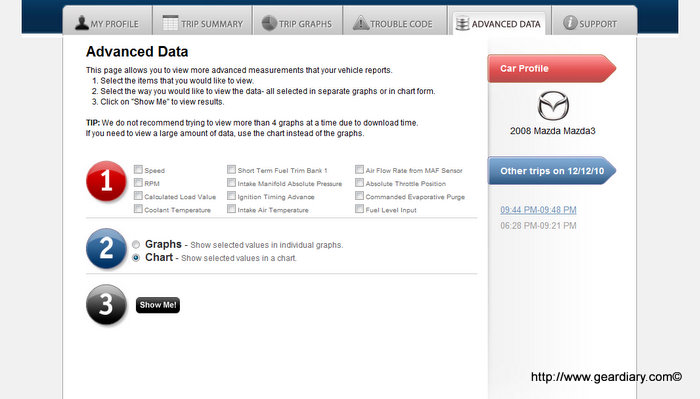
The Advanced Data menu is where you can really break down the reporting of the sensors in your vehicle. I’m not sure if this menu is static, or if it changes depending on what vehicle you scanned but this advanced data can really tell you some information about your engine and mostly the fuel and air sensors reporting during your trip. This may not be useful for the common user, but for someone trying to get some real good info about whats going on then this is your menu. Capturing readings like this usually requires a professional scantool and hours worth of labor. If your having trouble with your car during driving, then these reports are what you want to take to your mechanic. Either way it’s a high end feature in a low cost device.
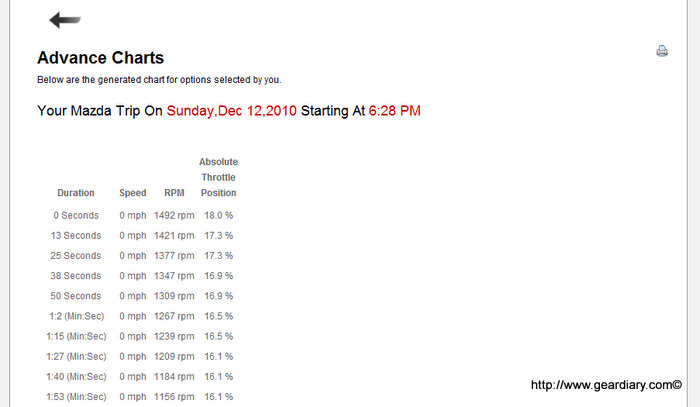
Here is just an example of a chart I made with the Speed, RPM’s, and Absolute Throttle position. This is just one example of the types of data you can read from the Advanced Data menu.
My final thoughts on the Carcheckup is that it’s quite a worthy alternative to the costly scanners available at your local parts shop or online. It’s extremely simple to use and can easily find a well earned spot in anyone’s toolbox. It’s not the end all scanning device but for the common user or the weekend driveway mechanic it has a lot to offer. If you’re a business traveller and have to report your mileage then it makes that task simple and easy for you and is a good way to make sure you get credit for all the mileage you deserve. For the sneaky or worrying parent, you easily can track the driving habits of your teenagers or new drivers and see how fast they are really driving and for how long. Personally I love it for the troubleshooting value of it. Easily finding out a trouble code or check engine light makes one trip to the parts store the last one, and can potentially save me some cash in the long run. For more information on the device check out Carcheckup’s website. The unit sells for $150 and includes the first year of service. I also like the fact that they ship in frustration free recycled packaging, not really a big deal but appreciated.
What I liked:
- extremely easy to use
- USB connection to PC
- extensive amount of logged data
- can be used with more than one vehicle
- 30 day money back guarantee
What could use improvement:
- device may be in the way of driver on specific vehicles
- only works for certain OBDII cars and truck (’96 and newer)
via Carcheckup



Gear Review: CarCheckup OBD II Scan Tool and Data Logger; a Worthy Addition to Any Toolbox | Gear Diary http://ht.ly/3z82d
Gear Review: CarCheckup OBD II Scan Tool and Data Logger; a Worthy Addition to Any Toolbox #gadgets http://bit.ly/fnQh14
Gear Review: CarCheckup OBD II Scan Tool and Data Logger; a Worthy Addition to Any Toolbox | Gear Diary http://goo.gl/DQGtr
See Gear Diary's review of CarCheckup http://ht.ly/3AxCg
auto data logging solution review @geardiary http://ht.ly/3AxKs
Business mileage tracking solution review form @geardiary http://ht.ly/3AxHF
Check engine light product review @geardiary http://ht.ly/3AxG7
Review of the CarCheckup multifunction gadget – http://ht.ly/3E5CN
Geardiary review of the CarCheckup system! Very in depth – http://ht.ly/3E5CN
Geardiary review of the CarCheckup system! Very in depth #cars #autos #geek #gadgets #review – http://ht.ly/3EOry
Geardiary review of the CarCheckup system! Very in depth #driving #tech #management #review #gadget – http://ht.ly/3EOry
Geardiary review of the CarCheckup system! Very in depth #driving #tech #management #review #gadget – http://ht.ly/3G2bm
Geardiary review of the CarCheckup system! Very in depth #cars #autos #geek #gadgets #review – http://ht.ly/3Wz8m
Review of the CarCheckup multifunction gadget – http://ht.ly/3Wzaz
Review of the CarCheckup multifunction gadget – http://ht.ly/3Wzaz
Geardiary review of the CarCheckup system! Very in depth – http://ht.ly/3Wzaz