Steve Jobs was clear when he introduced the iPad that using a stylus was a “no-no”. Instead, he encouraged all of us to use our built-in pointers; you know, those things called fingers. Well that has worked pretty well for me over the last year. In fact, it has worked so well that I have increasingly tried to touch the screen of my MacBook Air only to be reminded that, oh yeah, it has a trackpad, not a touchscreen. There are, however, times when you might want to use a stylus. No, the iPad will never be as stylus-friendly as the upcoming HTC Flyer (cannot WAIT to try it!). But then gain, the “Scribe” functionality of the Flyer it one of its main selling points. So no, you don’t NEED a stylus if you are using an iPad but it can come in handy if you want to sign something. (I’ve tried to sign with my finger and it just doesn’t work.) In addition, there are a number of apps that have found a way to build a certain degree of “palm-protection” in so that the iPad becomes more user-friendly with regard to handwriting.
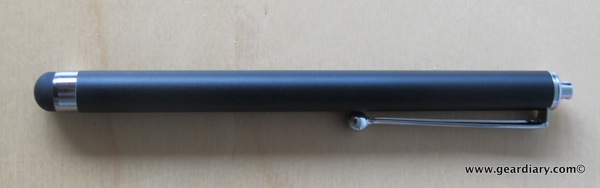
Which all leads to this review of the “Apple iPad Black Universal Capacitive Stylus – Ball Tip” from PocketPC Techs. Here’s a GD Quickie look.
From PocketPC Techs:
Have a capacitive touch screen? Want to use a stylus on your Apple iPad , but can’t? Now you can! Our Capacitive Stylus gives you that flexibility for use with your Apple iPad, iPad, iPhone, or ANY capacitive touch screen….without using your finger!
Our Capacitive Stylus has a round stylus end and is sensitive at any angle. Its smooth finger-like touch keeps your screen clean from finger smudges or grease. Perfect for ladies with acrylic nails.
The Capacitive Stylus is excellent for gaming, drawing, sliding or double-tap zooming and yet its convenient pen design makes it easy to carry anywhere.
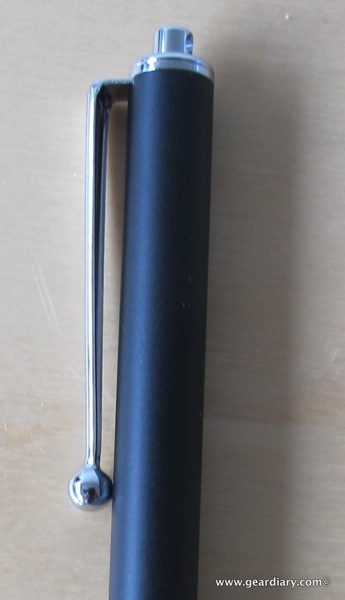
There isn’t a whole lot to say about the stylus except that it works as advertised and is inexpensive enough to order two or three and not worry about losing them. The stylus is very well-built from light but strong metal. The pocket clip is tight to the stylus’ barrel. That means it will stay in place when you clip it on to your garment. It is also quite strong. This isn’t one of those pocket clips that are going to snap off it you pull it back a tiny bit too hard.
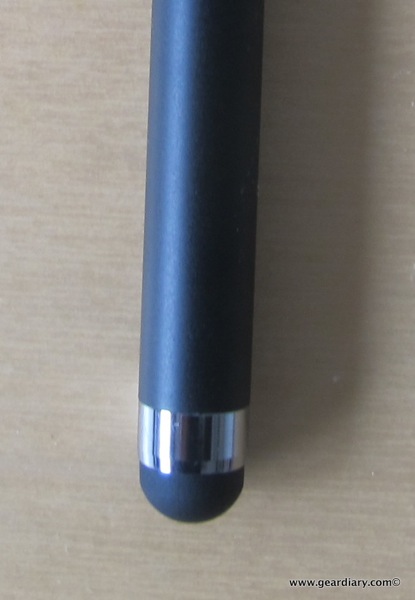
The business area of the stylus (aka the tip) is the rather soft, mushy material we have seen on numerous other styli. Thankfully it is so well made that there is, at least to my eye, no way that the metal ring securing the tip to the stylus’ barrel will ever come into contact with the screen and, as a result, scratch it This has not been the case with a number of other styli I have tried… And promptly threw into the garbage.
In short, it you want to have a stylus to keep handy this is a great option. It is inexpensive, well made and works as promised. I’m not sure how often I will actually use the stylus but I know I will be keeping it in my gadget bag. Hey, you never know when you might need one.
You can order the PPC Techs Apple iPad Black Universal Capacitive Stylus – Ball Tip directly from PPC Techs
MSRP: $13.99
What I Like: Well made; strong pocket clip; tip works and won’t damage the screen; inexpensive
What Needs Improvement: Nothing, if your finger won’t do as a pointer, this will be a good alternative