Posted by Clinton Fitch in Reviews
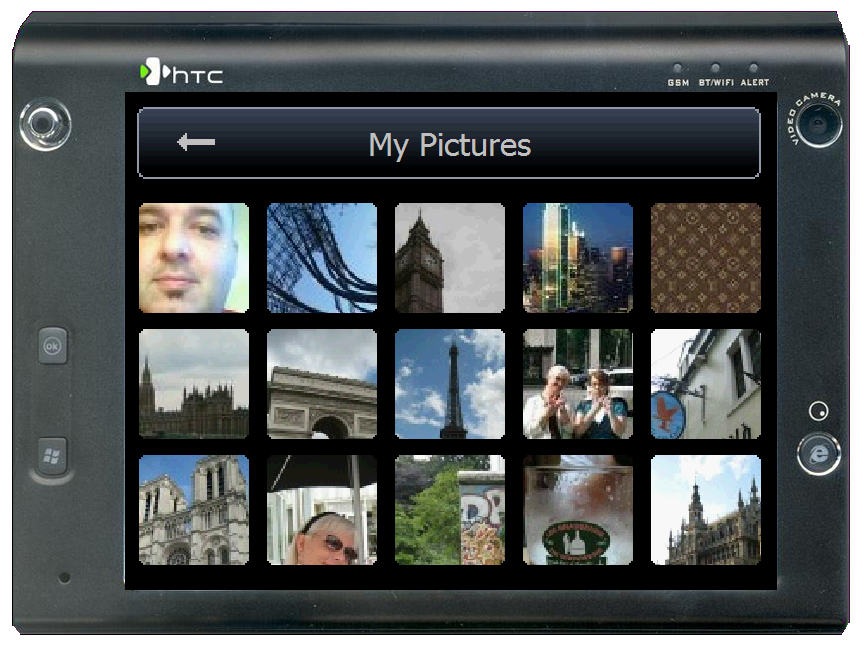
With Windows Mobile devices coming with ever increasing quality of digital cameras built into them, the need for applications to view those photos in a quick and easy way has also increased. While the built-in Photos & Videos application of Windows Mobile 5.0 and 6 does a reasonably good job, it still is somewhat stylus intensive. Fortunately the VITO Technology team has seen this as well and has developed a truly easy to use, simple and finger friendly - not stylus - application to meet the need - EyePhoto. EyePhoto is available through VITO’s iWindowsMobile division and is a simple but effective photo viewing application. EyePhoto does not have any editing tools built into it - it is strictly a viewer both of individual photos and in a slideshow. That said however, it is fast and easy, turning any device into a virtual photo album in a snap.

Figure 1: EyePhoto Main Interface
Continue Reading
Posted by Clinton Fitch in Diary Entries
Some of you may have seen me post about the greatness of Dashwire in the past. Dashwire is a service that runs on your Windows Mobile device that allows you to do a variety of things on your device through a web-based application on your PC. From Dashwire you can send/receive SMS’, share videos and photos and give the world a view of what you are doing at a particular time just to name a few.
Dashwire themselves probably state it best: Dashwire offers the industry leading Mobile/Web Connected Service to help people seamlessly connect their mobile phones with their computers and the web, enabling them to backup and manage their content, search and interact with their information, and share their experiences with friends and social networks. As you’ve seen with the Apple MobileMe and Nokia OVI initiatives, the Connected Services space is on fire, creating exciting opportunities and demand for a free, cross-platform solution like Dashwire.
Today the folks at Dashwire announced the release of version 2.0 of their application which sports a host of improvements including a whole new device interface. The new UI looks fantastic and so far I have been impressed with what I’ve seen.
Some of the new features include:
• Graphical phone experience featuring user avatar, status updates, and media gallery
• Mobile access to photos & videos located on your Dashwire web account – even if the actual media files aren’t on your phone
• Photo uploads from your computer to your Dashwire web account, which then automatically appear on your phone
• Media editing, blogging, and sharing with friends – on the go as you’re capturing your experiences
• Direct status updates to Facebook & Twitter
• Privacy controls & media publishing
Truthfully I’ve been playing with v2 for only a few hours but you can tell the Dashwire team has put a lot of thought and effort into this release. I’ll be sure to post a follow up in a few days to let you know of any issue/challenges I ran into - if I do.
To try this free service, visit http://www.dashwire.com to sign up for an account then point your mobile device’s browser to http://m.dashwire.com to download the client. Note that Dashwire (and us here at Gear Diary) highly recommend you have an unlimited data account on your phone as the service runs in the background and constantly updates your photos, SMS’, videos and other items you synchronize automatically by default.
You can always check out my Dashwire page at http://dashwire.com/clintonfitchdotcom
Posted by Clinton Fitch in Reviews
One of the challenges with using Windows Mobile devices, as with most mobile devices, is the size of the screen. It is great having Office Mobile on the latest and greatest device but doing a significant edit of a document on a 3.5″ QVGA screen is, well… fun? Granted, on bigger devices that have VGA screens, the HTC Advantage comes to mind, it is a bit easier but you still end up doing a lot of side-to-side scrolling. Couple this with either a soft keyboard on the device or a small thumboard to type with and once again, doing big edits on a document is, well… fun? How then do you get around this quandry? With a colorful insect of course!
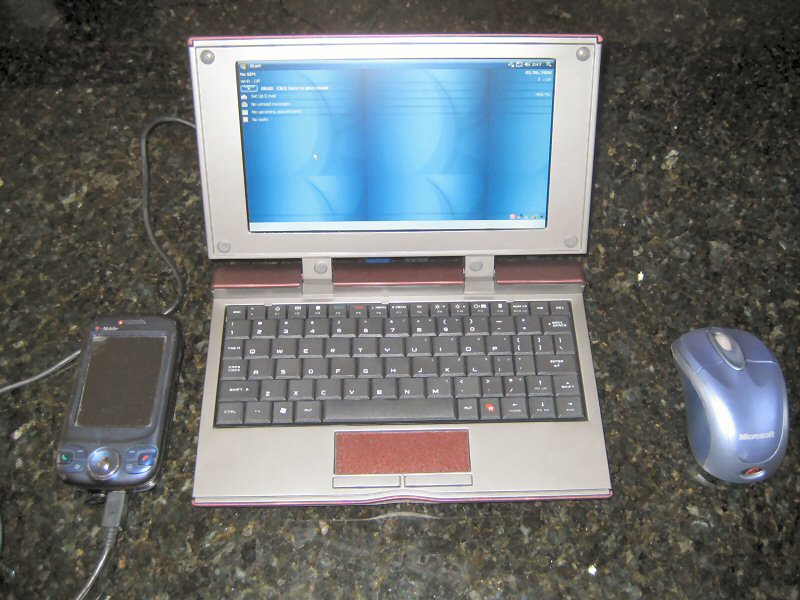
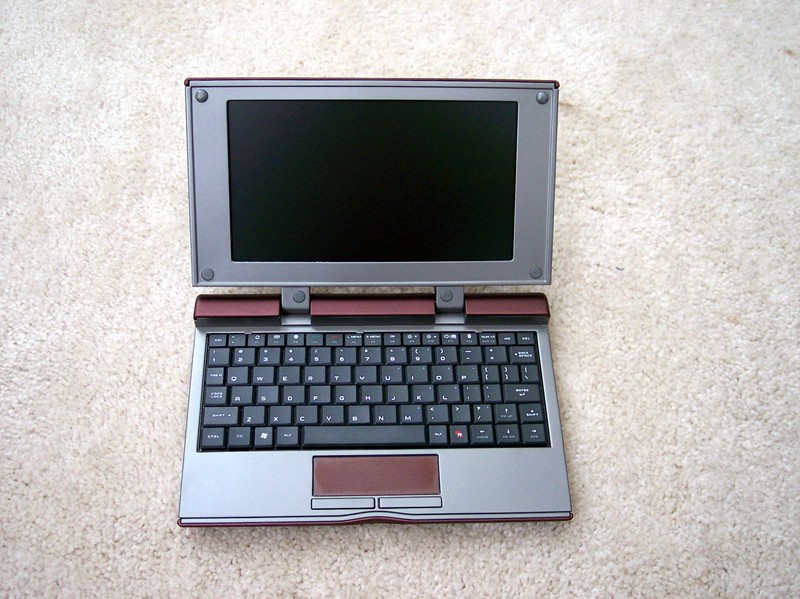
The Celio REDFLY is designed to help resolve this difficulty for Windows Mobile users by allowing them to connect their device via a USB cable or Bluetooth to the REDFLY and gain an 8″, 800×480 VGA display and full QWERTY keyboard. The REDFLY has no memory, storage or operating system itself. It is literally an extension of your device, utilizing the memory, storage and operating system of it. Even better, the REDFLY has a VGA output so you can display on an external monitor or projector straight from the device, something only a select few Windows Mobile devices can do natively. All of this in a package that is less than 2lbs. and 9″ wide and under $500? If you a a true power user of your Windows Mobile device, you should seriously consider a REDFLY. It could save your eyes and thumbs!

Figure 1: The REDFLY Closed
Continue Reading
Posted by Clinton Fitch in Diary Entries
To start, let me clarify that I’m not going to post about data plans pros and cons. No, my questions is about usage - your usage to be precise.
Let me set the stage a bit for all you GearDiaryites…. I eat up a lot of bandwidth. A lot! I average nearly 100MB per day on my phone-flavor-of-the-week. That means if you extrapolate that out, I’m burning through about 3GB worth of data a month. Mind you, this is on my Widows Mobile device - not my PC - and that doesn’t include what data I download while I’m here at home on my WiFi network. How do I eat up nearly 3 gigs a month? Easy really. I have a corporate Exchange account in a company of nearly 200 people. I hold a national role in that company so I see a lot of email from every part of the organization - easily 100-150 per day in total. Add to that my Dashwire account which is contantly updating as it upload videos, images and what-not every day. Dashwire actually doesn’t account for much of the traffic unless I add a picture or video. Then there is Newsbreak, my RSS reader. That probably gets me more than I would like to admit. Between the hourly updates and the daily download of a podcast or four, I burn up a lot there. Add in the periodic weather updates from Spb Mobile Shell and, well, you get the picture. It all adds up to an impressive 3 gigs per month.
I know I eat through that much data per month because I measure it using Spb GPRS Monitor. GPRS monitor is an oldish application from Spb which allows you to configure it so it monitors your data connection. When it originally came out, unlimited data plans were both rare and insanely expensive and most mobile users needed to make sure they didn’t go over their included megabytes less they incur a massive overage bill. Although this is not so much the case today, I still like to see how much I’m burning through each day or month. Call it morbid curiosity.
So my fellow GearDiaryites, I ask this simple question: Am I alone? Am I the only one who eats through this much bandwidth on their mobile device each month? Am I on the low end? Do some of you eat up 10GB of data per month or am I absolutely insane by using what I do?
Post your bandwidth usage per day or month in the comments and let’s compare. Again, call it morbid curiosity… ![]()
Posted by Clinton Fitch in Reviews
When I first began my adventure into mobile technology, it started with Handheld PCs. H/PCs, as they are known, were made from the late 90s to 2003 by a variety of manufacturers, most notably NEC and Hewlett Packard. The devices were more-often-than-not a clamshell form factor, with a built-in keyboard and VGA or HVGA screens. They were powerful and business friendly, especially in light of the fact that at that time, Pocket PCs (as they were known) did not have built in keyboards. Through a variety of market changes and marketing blunders, the H/PC soon became a non-factor in the mainstream mobile arena. I say mainstream because Handheld PCs are still widely used today, despite having not been made for several years. In fact, I co-own HPC:Factor, a site which is considered by many to be the hub of the H/PC user community. There you can find anything from drivers, to software and how-to’s, to reviews for Handheld PCs which allow the owners of these great devices to keep on keeping on.
Still, with the advent of Bluetooth, built-in WiFi, GPRS and other technologies - most of which were not available during the years H/PCs were produced - the longing for a H/PC-like device with the power and flexibility of a contemporary Windows Mobile device has been and is strong. While some have tried and come close, none have ever fully satisfied that longing until now. HTC has done it with the Advantage X7510, a device which hearkens back to the glory days of H/PCs, yet provides users with outstanding performance and flexibility. It is truly a business class device, one that would have made the visionaries of the Handheld PC proud, and one that makes this H/PC die-hard jump for joy! The Advantage X7510 is a Windows Mobile 6.1 Professional device that sports an impressive VGA display, built in Bluetooth and WiFi, a detachable keyboard and a fantastically powerful processor. It is easy to see this device as the natural evolution of the H/PC, given its satisfaction of both consumer and commercial needs combined in a single device.
This review will be the first of two installments covering the X7510. In this review I will be covering the device’s physical hardware, while the second will cover the software including the Windows Mobile 6.1 Professional OS which the device runs. The reason for this separation is both practicality and timing. Given the extensive detail of the device and its specifications, making a single full review of the device and its software would prove to be one heck of a read for you! Secondly, at the time of this writing, the X7510s ROM is not in its final shipping version. Instead of risking discussing something that may not make the final ROM, I’ve decided to have a separate discussion on the ROM and software when it is available in June.
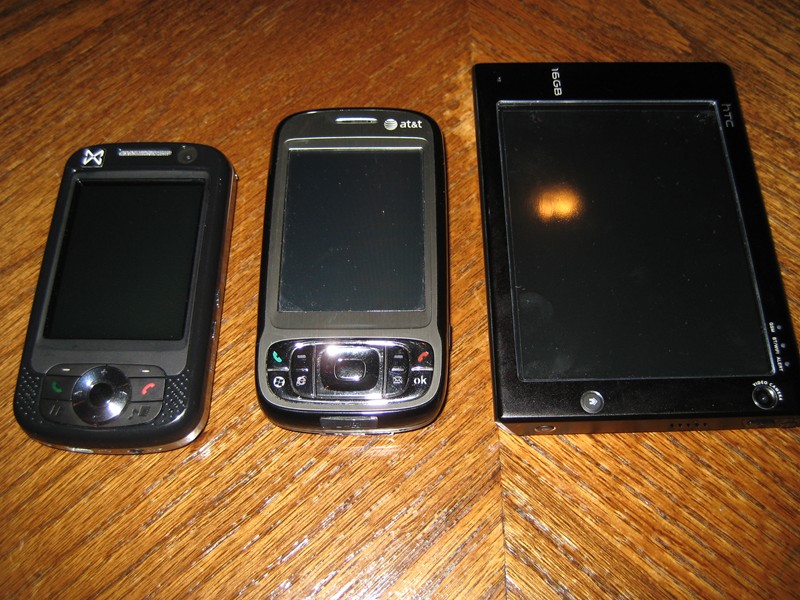
To begin, let’s take a look at the physical aspects of the X7510. As I mentioned before, this device is bigger than most Windows Mobile devices on the market today, measuring 98mm x 133.5mm x 16mm (or 3.9″ x 5.3″ x .6″) in width, height and depth. Those dimensions make the X7510 roughly 2″ wider than the TyTN II, one of the most popular Windows Mobile Professional devices today. Like its physical size, this device also is heavier than most at a weight of 375g (or 13.2 ounces). That puts the X7510 at about twice the weight of the TyTN II. Still, even at this size, the X7510 can easily fit into a back jeans pocket, a jacket pocket, or handbag without giving you a weighed-down feeling. Having used it now as my primary device for a couple of weeks, I have found the size to be a non-issue. The detachable keyboard measures roughly the same size as the device from a width and height perspective, but is only 3mm (or 1/10th”) thick, adding virtually no depth or weight to the device.

Figure 1: Advantage X7510 - Compared to AT&T Tilt and MWg Atom Life
Posted by Clinton Fitch in Diary Entries
If you are looking for an inexpensive VGA Windows Mobile device then Expansys-USA may have an option for you. Currently they have the MWg (formerly O2 Asia) Xda Flame on sale for an amazing $449.95 (US). The device sports a 3.6″ VGA display running the nVidia GEForce 5500 Mobile Graphics chipset. Couple that awesome graphics power with a 520Mhz PXA270 Processor, a whopping 2GB of ROM and 128MB of RAM and you get one heck of a device for gaming and multimedia…. oh yeah, and work stuff too!
You can get more information at Expansys-USA on this offer but hurry, it looks like they have less than 50 in stock.
Posted by Clinton Fitch in Uncategorized
I fully admit that Microsoft Surface has completely captured my attention! This use-to-be-sci-fi way of computing is going to revolutionize how we interact with technology and I so cannot wait to actually get to play with this thing.
Microsoft has released a series of Press images of Surface in action and I’ve posted them up at Clinton Fitch (Dot) Com! for your viewing pleasure.
The full press release follows after the jump…
Posted by Clinton Fitch in Diary Entries
I ran across this earlier today and I had to share - and this should make Kerry’s day!
Meet Nathan Sawaya. He is a Lego Artist. He’s not a Lego Builder. He is a Lego Artist. What is the difference you ask? Ah, well take a look at some of his work and you will understand exactly what I mean!

Posted by Clinton Fitch in Reviews
On the short list of accessories that Windows Mobile device owners need is a case. Cases not only protect your device but often put that device in a convenient and easy-to-access location (like your hip). In the not-to-distant past, most devices shipped with, at a minimum, a neoprene or vinyl slip case of some type. Unfortunately this has changed in recent years and now is more of an exception than a rule.
A relative newcomer to providing cases for Windows Mobile devices is BeyzaCASES. The company, based in Istanbul, Turkey, provides a wide range of leather cases designed to custom fit a variety of Windows Mobile devices. They have been making cases for other companies to rebrand and sell for years, but in 2004 began selling cases under their own marquee. A few weeks ago BeyzaCASES sent me two cases to review, both designed for my O2 XDA Zinc. While these cases are technically universal cases - they will fit a variety of similarly sized devices - I have to say I am quite impressed with the cases. Not only do they fit nicely around my device but they look stylish and elegant.
As Judie will attest, I am a huge Louis Vuitton fan (yeah, I’m a guy… got a problem with that?) so anytime I get something that comes with a dustcover my interest is already peaked! That is exactly what you get when you open up the box of your BeyzaCASES case. Inside the box is a small drawstring dustcover which contains your leather case. Open up the dustcover and you’ll find the case is a supple, smooth leather with a rich aroma.
Posted by Clinton Fitch in Uncategorized
[Judie's note: This article is also currently running on Clinton Fitch (Dot) Com!, and it can be viewed in the original format (with even larger pictures) there. If you haven't already checked out the many Windows Mobile software reviews on Clinton's site, then be sure to visit soon.]
If you read my biographical information on the Clinton Fitch (Dot) Com! Staff page, then you will see that I’ve been writing reviews of some type since the late 1990s. Likewise, if you read my blog entry over at Smartphone & Pocket PC magazine last month, then you read about how I got started using Windows Mobile devices. I’d like to go back a bit further and introduce you to my very first “pocket” PC, The Radio Shack TRS-80 Pocket Computer.

The TRS-80 Pocket Computer
The history behind this device is as much a personal story as it is a technical one. As I look back, it was seeing this device that I attribute to my strong desire to work in the technology field and that ultimately lead to the creation of Clinton Fitch (Dot) Com! and others in the past.