Posted by Judie Lipsett in Diary Entries
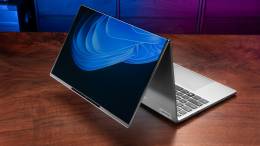
In conjunction with two other sites, John Obeto is giving away an HP dx9000 TouchSmart PC over at AbsolutelyWindows. What do you have to do to get your mitts on this ~$1400 piece of kit?
Continue Reading
Posted by Judie Lipsett in Diary Entries
If you never know where to place your mobile phone, digital music player or GPS, but you need them to be upright and visible, USB Fever has got a sticky stand that might fit your needs. The Smart Stand is supposed to work both on your desktop and dashboard; it uses “sticky” blades to adhere to both the base surface and the back of your device, so in addition to creating a surface that will grab and hold your electronics. Due to the stickiness of the blades, it will also likely grab and hold any floating lint or dust that might be in your office or auto.
The good news is that you can wash the sticky blades as often as necessary to clean them, but those with pets in the area where this might be used can likely already envision the ramifications.
Posted by Judie Lipsett in Deals
I saw this printer in action in a New York Best Buy last week, and I have to say that it was nothing short of cool. You can get and print maps, recipes, coupons, purchase movie tickets, and do all kinds of other things – directly from the touch panel front of this web connected beast of a printer. Granted, you could do the same from your computer, but being able to do these things without booting up the ol’ desktop is a pretty cool feature; plus the printer itself is pretty nice.
The regular price is $399.99, but you can get yours for $339.99 with free shipping. Not bad for a day’s savings!
Posted by Larry Greenberg in Deals, Diary Entries

Do you do a lot of scanning? Do you need to get it done quickly? Maybe even while doing other tasks?
KeyScan, the first company to develop and integrated keyboard-scanner product and of makers of “NoTouch™-AutoScan” software, have announced a limited time offer of $99.99 for the KS810-Plus Imaging Keyboard.
The keyboard, which features a built in scanner, comes with a no-touch, autoscan mode that allows the user to complete their most frequent scanning task without even touching a button.
The KS810-P also houses a USB2 Hub.
The keyboard is available at Tiger Direct and Comp USA for $99.99
You can learn more about the KeyScan keyboard and watch a video of it in action here.
Posted by Joel McLaughlin in Reviews
Not all speaker sets are created equal, that much is certain. Altec Lansing has sent me their latest — and what I consider their best — the Altec Lansing Expressionist Ultra Speakers.
The Expressionist Ultra is currently the top of the Altec Lansing line. This very stylish three speaker system boasts 200 Watts of power, and its tremendous sub woofer is bigger than the computer the system is connected to. Continue Reading
Posted by Jason Reese in Reviews

Back in August, we wrote about the PlanOn Printstik Bluetooth printer for BlackBerry devices. This past week, PlanOn provided a review unit on loan, and allowed me to put it through its paces for several days. Now that the Printstik has been returned, what did I like about it? What could be improved? More importantly, is this an item that should be added to your gear for daily use? Let’s find out…
Posted by Joel McLaughlin in Diary Entries
Blue has released an update to the Eyeball webcam that I liked so well. The new Eyeball 2.0 improves upon the Eyeball 1.0. The new webcam has the same Microphone capsule and upgraded the video to 1600 x 1200 at 30 fps. It’s not 1080p, but it looks to be a very nice webcam. The Eyeball 2.0 is available for $53.55 at Amazon.com.
Posted by Wayne Schulz in Diary Entries

When Windows 7 is released on October 22 quite a few people will need a way to transfer data off their old computers to their shiny new Windows 7 hardware. Belkin announces their Easy Transfer Cable for Windows 7 that’s a fast and easy way to get files off one computer and onto another. With a list price of $39 you’ll probably find it worth the money versus other labor intensive choices like backing up your files to a few dozen DVDs and then copying them to your new computer – especially when you consider that the software post-migration report provides a comprehensive view of what was transferred, including lists of all programs and applications installed on old PC and links to download latest versions of programs
Posted by Larry Greenberg in Diary Entries

Mophie, the company known for it uber-popular external batteries the Juice Pack and the Juice Pack air, has released some new charging accessories which work with USB compatible devices.
Three of the new items stand out:
The Low Profile USB Car Charger, which sells for $14.95, is very slim and should remain relatively unnoticeable in your car’s dash.
The Hybrid Wall and Car Charger, which sells for $24.95, combines a car charger along with a standard wall charger. The wall charger’s prongs rotate 270 degrees to ensure you’ll be able to plug it in anywhere.
And finally, the Dual USB Wall Charger, which to me looks the coolest, allows you to charge two USB compatible devices simultaneously. It sells for $19.95
You can check out all the new devices on the Mophie web site.
Posted by Joel McLaughlin in Reviews
Last year Judie reviewed the Altec Lansing Orbit speaker. It was a interesting speaker that can be used with any device sporting a normal 3.5 mm headphone jack. The downside to using such a speaker with a laptop is that the internal sound card in most laptops can be a bit noisy.
Altec Lansing recently sent me a sample of their Orbit USB iML237 speaker. It solves the sound card issue perfectly. Continue Reading
Posted by Joel McLaughlin in Diary Entries
If you have a netbook then you know it can be a pain at times to use, thanks to the smaller keyboard and display. Kensington has released two new docking stations that use DisplayLink technology to add a VGA or DVI monitor to your netbook and more. The only thing you’ll have to connect to your netbook is a single USB cable, instead of connecting a monitor cable and some USB cables.
The K33926US supports driverless install, where the K33930US will require the installation of a driver. Prices will be $129.99 for the K33930US model that supports the Mac and Windows, and $149.99 for the K33926US which is Windows only. The K33926US is now available, and the the K3390US is available for preorder through Kensington.
Posted by Wayne Schulz in Diary Entries

This 4-port USB aeroplane does more than connect up to 4 of your USB peripherals to it’s fuselage. This nifty hub also makes airplane noises through a speaker located in the plane’s underside. The fan really works and could be useful for those offices that are always just a little too hot. Only $12.99 and the USB ports are 2.0 but do not seem to be powered so don’t try plugging any power hungry gadgets into these ports or the plane may lose an engine and crash.
Posted by Larry Greenberg in Diary Entries

I love my wireless BT keyboard for my iMac. There’s two things though, that I find fault with.
One, the wired version is full sized. It has the extra numerical keypad on the right side where as the smaller wireless version does not.
Two, the wired version has two USB ports, where as the wireless has none.
Macally solves one of the two issues with the release of its new BTkey Wireless Keyboard for Mac.
The BT keyboard is full sized. It uses two AA batteries which last up to 2 months.
While the BTkey is arctic white and matches the iMac well, it is missing that dazzling aluminum look that the Apple keyboards posses.
Still if you want a wireless, full sized keyboard to go with your Mac, this one fits the bill.
The BTkey sells for $69.99.
Check it out on the Macally web site.
Posted by Jason Reese in Diary Entries

The iTwinge is sure to incur the wrath of many Apple purists who would never, ever dare to mar their iPhone with a physical QWERTY keyboard. Yet that is exactly what it does – give the iPhone the typing ability of a (gasp!) BlackBerry.
Details and additional images available after the jump.
Posted by Jason Reese in Diary Entries

Need an easy way to lock partitions your hard drive so others using your PC (like the kids) don’t go in and delete all of your cherished photos, your music library, or just flat out crash the computer? Want to painlessly restore your PC when your buddy “accidentally” visits a site full of nasty viruses and malware? USB Fever’s Windows IceBox aims to make it just a bit easier for you in a convenient USB dongle.
Just plug in the Windows IceBox to an available USB port and software is automatically launched to let you customize exactly what you want to protect — or freeze. If something is lost or if you find your computer plagued with malware, just reboot the computer and plug in the USB dongle — you’ll be able to easily restore back to the computer’s previous working, problem-free state. At under $20, the Windows IceBox USB dongle looks like it would be a great gift for for someone who just needs an easy way to keep their computer problem free (without relying on you for tech support
).
USB Fever – Windows IceBox (Freezer) – $18.99