Posted by Judie Lipsett in Reviews
Do any of us need any more signs to be written on any more walls that redundant backing up of our data is the single most important thing we can possibly do? I hope not, because it seems that hardly a day goes by without another harsh reminder being driven home that it is imperative. Just this weekend many of us read with horror about the colossal explosion at The Planet, which affected over 9000 servers. Did you catch that? Servers, not sites.
Although most of the servers suffered no data loss, that was not true in all cases. My friend Ewdi wrote in his personal blog about another site owner who had “a secondary server (in the same datacenter – The Planet H1) with RAID 10 as a backup server where he rsync his primary server, however due to the incident, his backup server RAID array was corrupted and he was unable to recover it. Lucky him his primary server was intact, however this experience makes him rethink his backup strategy.” Indeed.
As you all will recall, Ewdi was my knight in shining armor when Gear Diary suffered its own massive server crash on March 1, and the lessons learned that day were very hard, but they were learned well. For Gear Diary’s data I now use a combination of FTP download to two separate laptops, I back one of those up to a portable 250GB hard drive, I burn DVD copies to store away from my home office, I am currently trying Sugar Sync, I back up the entire Gear Diary site nightly via rsync to an off-site server…and yet I still don’t feel entirely safe. You think I am paranoid? I think that after what happened I couldn’t possibly be paranoid enough.
I rely on Mac’s OSX Time Machine - the free backup solution that comes bundled with Leopard for my personal data, and I have found it to work very well. How well was proven when my less than three month old MacBook Pro suffered a freakish hard drive crash in the middle of the Microsoft Mobius event I attended in May. Irony much? Bad luck much? Well guess what? No one is immune and no one ever expects it when it happens. Every cliché you have ever heard about being safe versus sorry…there is so much truth in it.
That’s why when I was offered the chance to try the Newer Tech Guardian MAXimus RAID Mirrored Data Redundant Solution, my answer was a very quick yes. Described as a provider of “”live activity” backup/data redundancy of your critical data with Plug and Play simplicity on any Mac or PC,” the Guardian MAXimus has “pre-configured hardware RAID solutions” featuring “two paired lightning fast SATA (Type I/II) drives with up to 1.0TB each of storage capacity and a high speed Oxford 924 FireWire 800/400 & USB 2.0 chipset.”
In case you are like I was, completely ignorant about what the acronym RAID stands for, let me save you some Google time; it’s “Redundant Array of Independent Disks”.
Posted by Judie Lipsett in Reviews
Is it ever possible to be too obsessive about backing up your data? I’ve learned not to think so. Need I remind anyone of the events of March 1? Yeah, I thought not.
Since the crash I have learned exactly how obsessive some people can be when it comes to their backup methods. For instance, many of you read the transcripts - perhaps with some amusement - where Ewdi told me his method:
Here is what gives me piece of mind on our network: I use two hard drives, 1 is main and 1 is mirroring (in case 1 hdd dies, the server is still on) using raid. I have auto rsync backup to tapes weekly, I have auto iscsi backup to nas daily, and each month I back up the sites to my local hard drive - of which I keep 1 at home and 1 in a safety deposit box in my bank
My formerly sporadic method of backing things up once in a while just to be “extra safe” has quickly evolved into one that some might find redundant and more than a bit obsessive, but those who have suffered their own devastating data losses will understand. Whether it be your website, treasured family photos, or your entire MP3 music catalog, data is precious; just how precious is not usually known until it is gone.
So how can you make sure that your data is protected and backups are done in a timely manner? How can you ensure that your data will be still be around when - not if - disaster strikes? One of the tools I am using is the SimpleTech Signature Mini USB 2.0 Portable Drive.
Posted by Jenneth Orantia in Diary Entries
Part of the lure of a being on holiday is the ability to get away from all of your tech distractions. But if you’re reading this site, then you’re probably like me and derive an inordinate amount of enjoyment from having all of your toys and gadgets with you wherever you go. There’s a lot to be said for putting your smartphone, MP3 player, digital camera or laptop away in order to be able to fully soak in your surroundings, but when used in moderation, I think gadgets can actually enhance your travel experience.
There are all sorts of considerations to take into account when travelling with your tech toys. Will it have enough storage for all my photos and music? Is it durable enough to handle the rigours of the road? Will the battery last me until the next time I get to a power outlet? And what happens if my bag gets stolen?
Gadget insurance is something I’ll cover in another post, but the rest of the concerns are easily take care of with the right tech and accessories.
Posted by Doug Goldring in Reviews
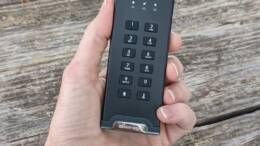
In today’s fast paced, spy vs. spy world, information is the most common currency. Protecting that information can mean the difference between wiping out an entire civilization and saving hundreds of millions of lives (not to mention getting the right kumquats at the grocery store). Until recently, information was stored on massive hard drives or servers, which took up entire rooms. Hardly portable. It was easy to store your important information in a locked room, secured behind heavy doors, and a phone booth elevator. Since then, however, storage spaces have grown both infinitely larger and infinitely smaller. What used to take a room, can now be rolled into my sock. When I bought my first PC, it had an unthinkably large 1 MB of RAM. One MB. Today, a small stick the size of my thumb can store 1GB or more. Jingle the change the wrong way in your pocket and one of these thumb drives can easily drop to the ground. And then what? Just wait for the bombs to go off? Not if Corsair has anything to say about it. Their padlock drive will keep your data safe, even if it falls into the hands of KAOS.
Posted by Judie Lipsett in Reviews
Were you a Disney Kid? I sure was. I grew up watching reruns of the Mickey Mouse Club…the original series. I didn’t think twice about the fact that the show was already 20 years old, or that it was in black and white, because up until second grade our TV was black and white anyway. I can still remember the show’s theme song, and I’ll bet that if you ever watched it, then you can too. Needless to say, for many people the familiar silhouette of Mickey’s big ears is ubiquitous with childhood, good times…and Donald Duck!
A-DATA has introduced a Mickey Mouse USB flash drive that rides this nostalgia train; as you can see, there is no mistaking the inspiration for this particular device. Available in 1, 2, 4, and 8GB sizes, according to the printed material accompanying the drive, “this gadget [will] fulfill your desire to keep Mickey Mouse with you all the time.”
Posted by Allen Hong in Uncategorized
Think you’ve got lots of hard drive space in your notebook computer with a 250 GB hard drive? Well, think again. 500 GB notebook hard drives are coming. Thats right, all the top players in the notebook hard drive industry have recently released 500 GB hard drives for installation in notebook computers; Samsung, Fujitsu, and Hitachi will be shipping the high capacity hard drives in Serial ATA configurations.
Posted by Judie Lipsett in Reviews
Moving your digital information from point A to point B is usually best done by using a USB flash drive, and nowhere is it written that the drive used must be some boring thumb drive. Witness the mimoco mimobot art toy USB flash drive, a memory device with more personality than any I’ve ever seen…
mimobots are available in 512MB, 1GB, 2GB, and 4GB capacities, produced in limited editions, are hi-speed USB 2.0, compatible with both Mac and Windows, and are enhanced for Windows Vista’s ReadyBoost technology.
There are many styles of limited edition mimobots to choose from; I was sent the Domo X mimobot, which is available in 1, 2 and 4GB sizes. Mine came with 1GB and a red protoHoodie. If you aren’t familiar with Domo-kun, you can read more about him on his Wikipedia page.
My Domo is number 130 of 3000…RAWR!
Posted by Judie Lipsett in Uncategorized
Larry of Palm Is Life fame sent me an IM this morning, and it’s been such a crazy day that I am only now getting a chance to post! :doh_tb:
We should actually have a full review of the Apiotek CF Express Card Reader coming up soon, but in the meantime it’s only right to give those of you with express card enabled laptops a heads-up that this is available…

photo courtesy of Palm Is Life
Posted by Judie Lipsett in Uncategorized
Wait…is that even possible?
Anyway.
Scott Clark of Everything USB has just finished a review on the jaw-dropping Seagate FreeAgent Pro 750GB External Hard Drive. Not only is Scott impressed with this beast’s beauty, he seems pleased with its performance.
If it weren’t for the recognizable Seagate logo on the side panel or the label on the box, I’d have no idea the FreeAgent Pro was an external hard drive. Unusually slim at 1.4″ thick with a quasi-parallelogram design, I’d sooner recognize the FreeAgent Pro as a HDTV antenna. The black, brushed aluminum panels contrasting with the amber glow down the center casts a powerful first impression, especially with the monolithic stance on the 3″ wide base that makes any other drive with a plastic enclosure look like a child’s plaything in comparison.

mmmm, tasty!
Posted by Mitchell Oke in Uncategorized
Yesterday I was picking up the parts for a PC I was building for a friend, and while I was at the store I picked up a new 250GB Samsung HDD to slip in my now empty Maxtor case. It looks just like any other external 3.5″ enclosure inside so no problems right? Well I should have guessed the Maxtor pain would not end with just a dead drive and data loss.
Installing the drive should have been simple enough. Just plug in the power and IDE cable, screw it in and away you go! Not so. Upon connecting the drive to my MacBook Pro, it asked me to initialize it. So I clicked initialize and the Disk Utility window appear. Format went fine, and now I have a clean 128GB drive….wait what?