Posted by Dan Cohen in Diary Entries
Let me get this piece of business out of the way– as much as it pains me to admit it– Larry was right. (Wow that was hard.) Let me explain…
When Dragon Dictation was first released I was darn near giddy over how great the voice to text application was. Larry, on the other hand, was impressed but saw a major flaw with it. You see, with the Dragon application you need to dictate your text right into the application and then “send” the text to e-mail or the clipboard or the sms application. From there you need to format the e-mail with a recipient and a subject and then send it.
The multiple steps that were required to get from speaking your message to actually sending it was a bit of a challenge. For me, the speed and accuracy of the application make the multiple steps worthwhile. In addition, I have become pretty quick with the process. Larry, on the other hand, finds it remarkably annoying and, as a result, he doesn’t use the application nearly as much.
When Vlingo updated THEIR voice to text iPhone app last week it included an “in app paid upgraded” that resolves Larry’s issue. For seven dollars you can upgrade the app so that, as soon as you launch the app, you can start speaking. Moreover, you can add an email address, a subject and the message by voice and in one step. The process is simple now-
Posted by Dan Cohen in Diary Entries
One of the big disappointments when I first made the move to Mac, was the fact that Nuance’s Dragon NaturallySpeaking was not available unless I ran a virtual Windows PC on it. There was a voice recognition solution available, MacSpeech iListen, but it was rather poor substitute. A short time later MacSpeech released a new product, MacSpeech Dictate. It used the same voice to text engine as Dragon and as a result was far more accurate. A year later they released version 1.5, and it was even better; I no longer missed using Dragon. Then last week I posted a first look at MacSpeech Scribe. It too used Nuance’s voice-to-text engine in order to work its magic. In fact, it seems like Nuance’s technology is everywhere. Then they released Dragon Dictation for iPhone, powered the new iPhone app Siri, and recently bought Jott and SpinVox. It is for all thes reasons that I wasn’t surprised to hear that…
Posted by Dan Cohen in Diary Entries
I use a number of different voice to text transcription methods in my daily life. When I’m on my iMac or my MacBook Pro I use MacSpeech Dictate. It works quite well. When I’m on my iPhone I will either use Nuance’s Dragon Dictation application or Jott. Both of them work well and there are advantages and disadvantages to both. (Like the 30 second limits on speech before it needs to be transcribed.) Today a new method of transcription came online– MacSpeech Scribe– and I’ve begun to use it.
What do I think? I am impressed by the accuracy of the transcriptions it yields. I’m also excited about the prospect of being able to record a voice note that exceeds the 30 second limit that is part of Dragon Dictation and Jott. With MacSpeech Scribe I am able to record a voice note that is as long as I like, transfer it to my iMac or MacBook Pro, and then, in short order, have the application transcribe it. Let’s take a look at the setup and use of this new application.
Posted by Dan Cohen in Reviews
For quite a while I used MacSpeech Dictate with the built-in microphones and both my iMac and my MacBook Pro. Recently, however, I began using a microphone whenever I dictate. While I find it a bit inconvenient to set up and use a microphone every time I want to dictate something, especially when using my MacBook Pro, the increased accuracy of the transcription more than makes up for the few seconds it takes to get ready.
I have been using a number of different microphones but one of my current favorites is the Go Mic from Sampson. The microphone is highly portable, easy to setup and use, and offers great sound quality. Let’s take a look.
Posted by Dan Cohen in Diary Entries
I do a tremendous amount of my writing using voice recognition software. It makes a tremendous difference for me both in terms of the speed with which I need to write sometimes and the difficulty I sometimes have thanks to rheumatoid arthritis. Being able to still compose text by using nothing more than my voice and then spend a few minutes cleaning up the text is far better, easier, and faster for me than having to type out an entire document.
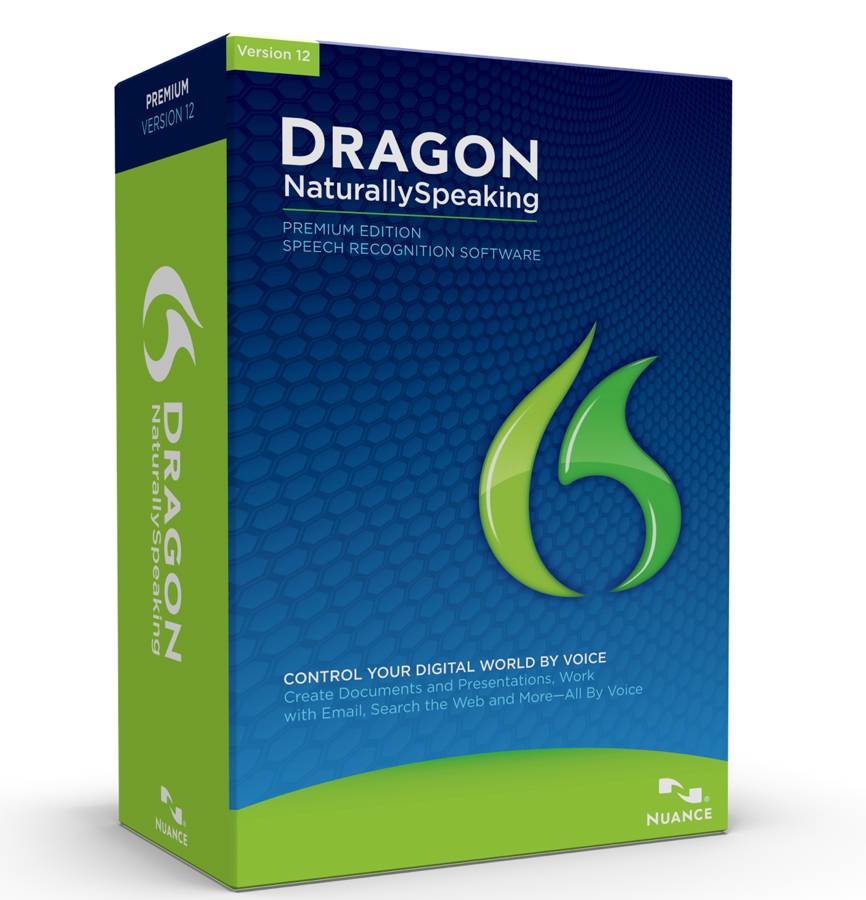
The software that I use on a day-to-day basis is MacSpeech Dictate. The underlying transcription comes from Nuance’s Dragon NaturallySpeaking and, as a result, it works quite well. One of my frustrations with the software, however, is that unlike NaturallySpeaking there is no way for the software to transcribe audio files that have been recorded separately. That changed today with the announcement of MacSpeech Scribe. According to the company
MacSpeech Scribe is the world’s most advanced personal transcription solution for the Macintosh. MacSpeech Scribe lets you forget about the painstaking task of typing, and instead create text documents directly from spoken-word audio files. Just imagine it … no more irritating and frustrating stopping, rewinding, re-starting, and typing at a snail’s pace. MacSpeech Scribe transcribes everything for you … easily, quickly, and accurately. And it couldn’t be simpler: Just open your spoken-word audio file with MacSpeech Scribe, click the ‘Transcribe’ button, and MacSpeech Scribe does the transcription work for you. Right before your eyes, you’ll see your file transcribed into text on your screen.
While I wish this was part of MacSpeech Dictate already instead of a separate $150 piece of software, the added functionality that this will bring to my workflow is worth the cost. I’m ordering it right now and will get a post up regarding setup and use of the new software shortly.
For more information you can visit the MacSpeech site.
Posted by Dan Cohen in Diary Entries
Monday was a rather full day with the folks from TeleNav. They brought twenty of us in from all over the country to share some of their strategic plans and get our thoughts and suggestions regarding their current and upcoming products. We started at 7:30am and didn’t finish until after 10pm. Yes, there IS that much to  talk about with regard to GPS and location-based services. During the day we learned a good deal about the company and, I must say, I’m impressed by what they do and where there are going.
One of the more interesting things that emerged from the day was the realization that I likely bump into TeleNav’s technologies far more often than I realize. They are there, but I don’t know it. And it left a nagging question of “Whose brand is it anyway?”
Let me explain.
Posted by Larry Greenberg in Reviews
While at CES this year I had the opportunity to spend some time at the Blue Microphones booth. One of the products which really “wowed” me during demo time was their “Yeti” microphone.
The Yeti is being touted as the world’s first THX certified Microphone. The USB powered microphone is the perfect tool for for a wide range of projects including podcasts, vocals, live or event recording, interviews, broadcasts, instruments, bands and more.
Blue Microphones was kind enough to send both myself and Joel a Yeti for review and the following dual review contains both of our observations.
Posted by Dan Cohen in CES, Diary Entries

I had a chance to meet the folks from Nuance, the company behind my favorite voice to text applications- Dragon Dictation and Search, Dragon NaturallySpeaking and MacSpeech Dictate (Nuance provides the speech to text engine behind the MacSpeech application). During our conversation one of the things they shared with me was the emphasis they are placing on their mobile apps… and for good reason since even they seemed to be a bit overwhelmed by how well the recently released apps have been received. (Personally I can’t imagine using my iPhone without it at this point.)
Well, true to their word the Dragon apps got updated tonight.
The huge new “feature” is that they have now added iPod Touch support for both Dragon Search and Dragon Dictation. This is a great addition that will make the apps/services even more valuable as legions of touch users now begin searching and writing by voice.
Also added is a new feature to Dragon Dictation where-by the app will automatically detect the end of speech so there is no longer a need to press the ‘Done’ button. To turn on the new feature you need to update the app and go into the main setting panel. I tried it and it works beautifully. The new feature, combine with a new UI that provides a bit more screen real estate for text input makes dictating better than ever on the iPhone.
You can read all about it on the DragonMobileApps Blog.
Posted by Dan Cohen in Diary Entries

Last week Nuance released Dragon Dictation. Now they have just released a brand new app, Dragon Search. Dragon Search is
intuitive voice-enabled search app for iPhone gives users a smarter way to search. Dragon Search is an advanced form of Nuance’s world-renowned Dragon NaturallySpeaking software, optimized to service millions of speakers’ simultaneous open-ended search queries, regardless of whether they are first-time or experienced voice application users.
Posted by Dan Cohen in Diary Entries
![]()
I have made no secret of my excitement that Dragon Dictation is now out and available for US iPhone users. The app has transformed my iPhone usage and continues to be one of my most-used apps. The transcription process is fast, accurate and, currently, free.
When the app was first released last week however some folks expressed concern that the app uploaded your contact list to Dragon’s servers when starting it for the first time. Well worry not! A new update makes the contact upload process optional. It also allows you to delete contact names that were previously uploaded.
Dragon Dictation isn’t for everyone but for many of us it is already a home run. Grab it HERE.
Posted by Dan Cohen in Diary Entries

UPDATE: After posting this I received an email from a higher-level support person. He promised me he would “look into” the “support” I received and asked me to send a log showing exactly what was happening. I’ll update as things move along.
Here at Gear Diary we love to publicize GREAT customer service. At the same time we also like to share stories of limited or poor customer service with the hope that it will encourage an improvement.
Here is my latest story…
Posted by Dan Cohen in Diary Entries

The voice recognition hits are continuing to flow with Vlingo releasing version 4.0 of their application. Not only does the new version run on the new BlackBerry Bold 9700 (YEAH!!!!!), but it includes an awesome new feature- “Vlingo Everywhere”.
As the company explains-
With Vlingo Plus 4.0 you’ll be able to use your voice with virtually every app on your phone (and you will continue to have SMS and email capabilities as before). Using your BlackBerry has never been faster and easier!
Setup was simple and the application walked me through the process. From there I was good to go. No training necessary. For more information visit the Vlingo website.
Posted by Dan Cohen in Diary Entries

Dragon’s voice to text application for the iPhone has been as big as I expected it would be. It’s been covered by all of the major technology blogs, and I know just about no one who has an iPhone who hasn’t downloaded the application. (A number of them did so at my urging, but none have any regrets about following my advice.)
I was surprised to discover how many of the people I know who had not updated their iPhone’s to the current firmware, however. Dragon Dictation requires the latest firmware in order to function properly, but this also gave me the opportunity to encourage them to do the appropriate updates. The comments have ranged from “Oh my, oh my” to “I love this app” to “this is the best apps I’ve ever seen on the iPhone!” Okay, that last quote was from me.
There have also been questions such as “Why is it that you can’t update your Facebook or Twitter status directly from the application?” I’m not sure why, but I hope that that is something that we will see in a future update.
Thankfully, the option to use the clipboard allows you to update those status says and more quite easily. Once you get the hang of using the clipboard feature it becomes second nature. It certainly has for me over the last weeks.
The comment that really got my attention, however, was one that observed that the application is anemic when compared to MacSpeech Dictate or Dragon NaturallySpeaking. I can’t disagree with that, but I will admit I actually find myself using the iPhone application far more than I do those applications — even though I have both.
Here’s why.
Posted by Dan Cohen in Diary Entries
Since I first posted our “Sneak Peek at Dragon for iPhone” there has been one question asked over and over and over again. That question?? “When?”
And I understand the question. You see, Dragon has transformed how I use my iPhone. Seriously, I do so much less typing on my iPhone since I started Beta testing the app. It is that accurate (so long as you speak slowly and clearly.)
Well “When” is now “Now”. That’s right, Dragon Dictation for iPhone is out. And here is the biggest surprise of all… the app is free! Seriously, it is FREE!
Here’s our sneak peek.
You can get the app HERE.
Sorry touch users… this is an iPhone only app at this point.
Posted by Dan Cohen in Diary Entries
(This is the third installment of “Look Ma No Hands- Voice Recognition Technology Today”. Once again there is a video at the end of the post showing the process of writing it prior to the physical clean-up that took place after. The video is truly boring but it does give a good sense of the speed, or lack there-of on a netbook.)

Yesterday I did a quick post on setting up Dragon NaturallySpeaking Version 10. It’s a relatively easy process but it does take some time. It was done on a MacBook Pro with a 2.4 or 2.5 GHz processor and 4 GB of RAM. While that wasn’t able to use all of the resources since it was a virtual machine and the computer was also running Mac OSx it still was quite speedy. Better still, because the microphone is as good as it is I didn’t need to use a headset.
This is a quick post simply to show how well you can use Dragon NaturallySpeaking Version 10 on a netbook. I’m actually recording this post using a Toshiba NB205. Even better, once again I’m not using a headset. I’m sitting in front of the computer and speaking. And while I am speaking slower than I normally would and I’m articulating more clearly than I normally do it isn’t totally unnatural for me to speak this way and as you can see it’s capturing all the words quickly and with almost 100% accuracy.